---
title: "Changing a Space's Type"
slug: "changing-a-spaces-type"
description: "Learn how to change a Space's type in Xyicon. Understand its impact on fields and follow detailed steps to update and manage Space types efficiently."
updated: 2023-10-18T10:16:51Z
published: 2023-10-18T10:16:51Z
canonical: "support.xyicon.com/changing-a-spaces-type"
---
> ## Documentation Index
> Fetch the complete documentation index at: https://support.xyicon.com/llms.txt
> Use this file to discover all available pages before exploring further.
# Changing a Space's Type
Xyicon Users
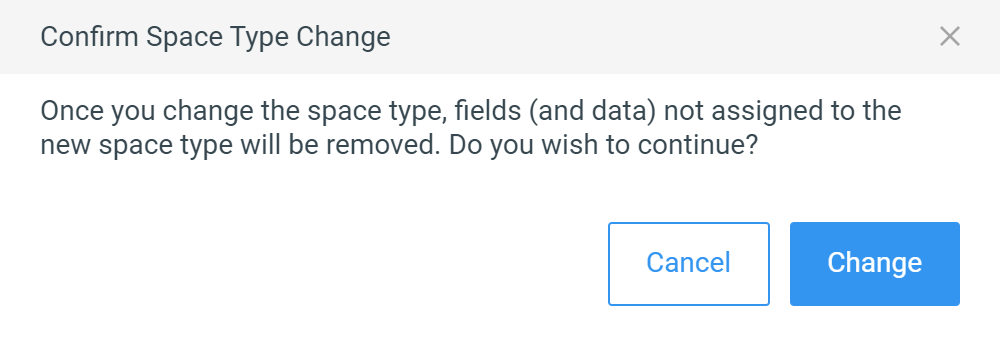
Use this article to learn how to change a space type for a selected space in the **SPACES** module. When you change a space's type, the list of fields also changes to reflect the new space type. If the new and old space types have common fields, they will remain, and the rest will be removed. However, the fields and data will remain intact so that in case you revert the space's type to its original type, the fields (and data) are restored.
## Before you begin
- Make sure module settings such as Space Types and Space Fields are defined for the Space module.
- Verify your **Xyicon User** has the necessary permissions to change a space type. User permissions are managed by your organization's **Xyicon Administrator**.
---
## Steps
1. Go to **Main Menu ( ) > SPACES** module to [view the spaces](/v1/docs/viewing-and-updating-spaces#viewing-a-space) for the active portfolio.
2. Select the space for which you want to change the space type.
3. Click the **Side Panel > Details** tab ( **** ) and click the **Type** field to see the list of available space types.
4. Alternatively, you can switch to the table view and click on **Space Type** to do the same. If Space Type Column is not visible, you can [change your view or add the column to your current view](/v1/docs/manage-columns-view).
5. Select the desired type from the dropdown. You will be prompted to confirm the action.
6. Click **Change**.
[Video](https://cdn.document360.io/d689d9b5-af1b-4ba8-a27d-d8cad72c9618/Images/Documentation/Change%20Space%20Type.mkv)