---
title: "Switching between Organizations"
slug: "switching-between-organizations"
updated: 2025-04-21T05:30:08Z
published: 2025-04-21T05:30:08Z
canonical: "support.xyicon.com/switching-between-organizations"
---
> ## Documentation Index
> Fetch the complete documentation index at: https://support.xyicon.com/llms.txt
> Use this file to discover all available pages before exploring further.
# Switching between Organizations
Xyicon Users
Xyicon Administrators
Use this article to learn how to switch between different organizations. Your Xyicon account is like an all-access pass. It lets you access multiple Xyicon organizations, provided that your user account is connected to those organizations.
## Before you Begin
Make sure your **Xyicon User** is connected to the organizations you want to access. To add yourself to an organization, contact your **Xyicon Administrator**.
---
## Steps
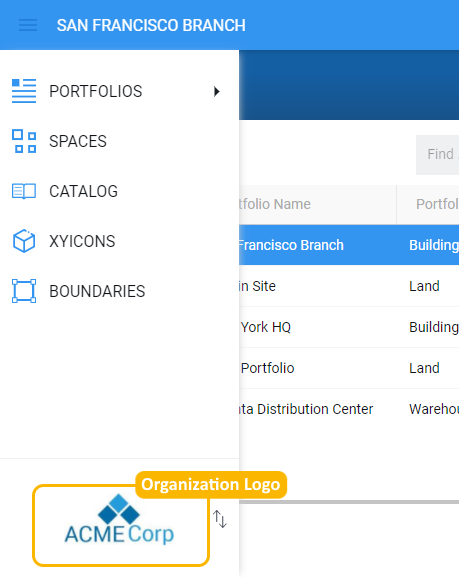
1. Click the **Main Menu** ( ) on the Xyicon Header. At the bottom of the menu, you will find the logo of the active organization.
2. Next, click the **Switch Organization** button ( ) located next to the logo to see a list of organizations you can access.
3. Finally, click on the organization you want to access to make the switch.
**TIP**: The organization name appears as the selected organization if the organization has no logo.