---
title: "Apr 2021"
slug: "apr-2021"
updated: 2022-07-11T16:55:08Z
published: 2022-07-11T16:55:08Z
canonical: "support.xyicon.com/apr-2021"
---
> ## Documentation Index
> Fetch the complete documentation index at: https://support.xyicon.com/llms.txt
> Use this file to discover all available pages before exploring further.
# Apr 2021
Take a look at the new features and improvements we've released this month.
## April 30, 2021
#### Introducing Boundary Merge!
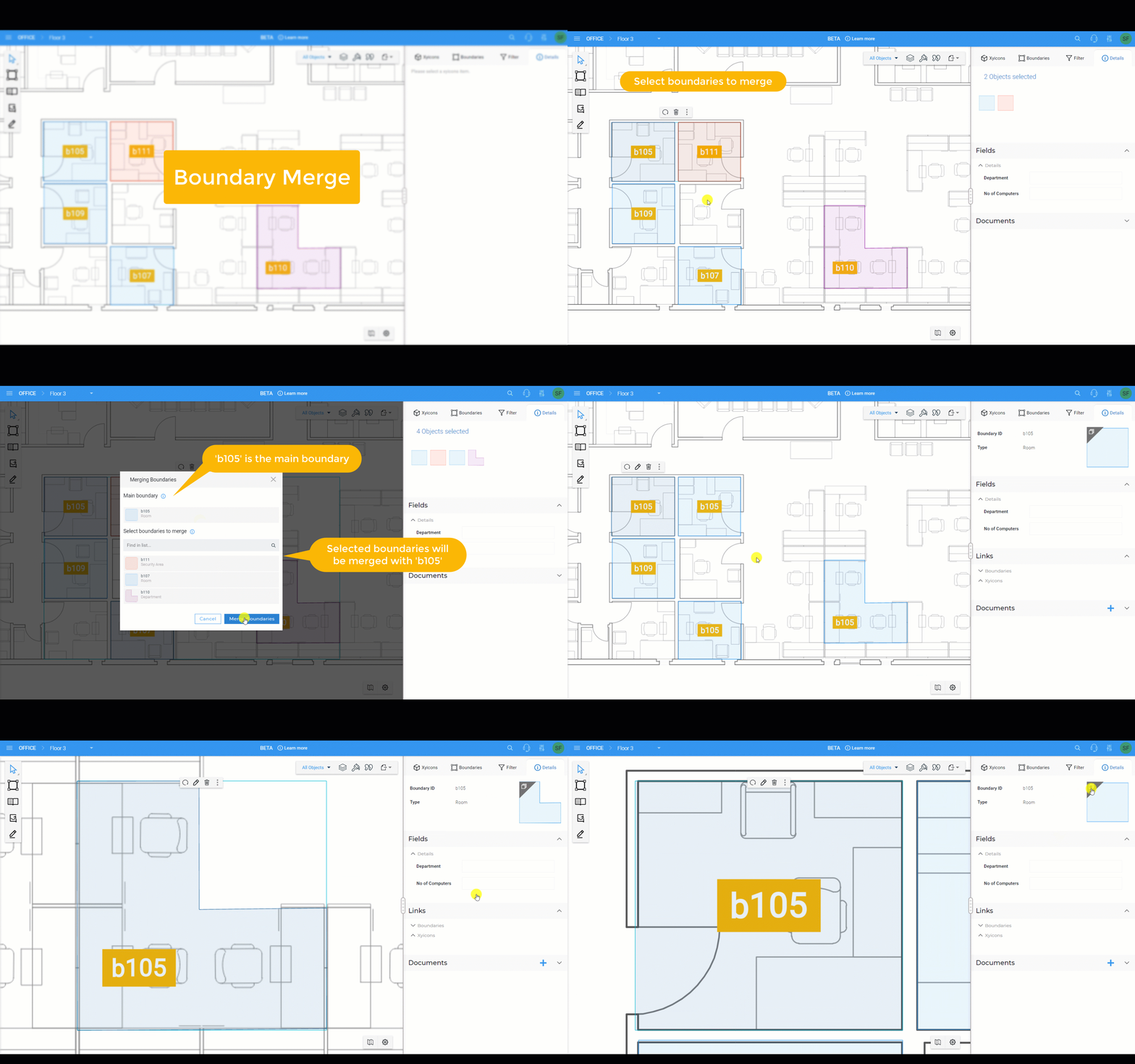
Merge two or more boundaries using our new **Boundary Merge** feature! Merging boundaries allows you to use the same identity, type, and field information across multiple boundaries. Use it to connect both contiguous and non-contiguous boundaries located on the same space or across different spaces inside a portfolio.
For example, imagine your Engineering department is dispersed across several rooms and cubicles. Simply draw a boundary for each specific area on the floor and merge them. Update one boundary, and the information will propagate to all connected boundaries saving you time and effort. What's more, since they are all connected, you can quickly navigate between the merged boundaries with a few clicks.
Check out the articles below to learn how to use this feature
- [Merging Boundaries](/v1/docs/merging-boundaries)
- [Accessing Merged Boundaries](/v1/docs/accessing-merged-boundaries)
#### Calculated Fields for Boundaries
| We are continuously updating our **Calculated Fields** feature for xyicons and boundaries with new formulas. This time around, we have added a new list of formulas for boundaries. **Calculated Fields** is a powerful feature in SpaceRunner that allows you to perform complex calculations using your existing data. For example, use calculated fields on a room to get a list of occupants and their names or calculate the square footage you want to allocate based on specific criteria. The possibilities are countless. Contact our [support team](mailto:support@xyicon.com) to learn more about how **Calculated Fields** can benefit you and your organization and to configure it to your unique requirements. |
| --- |
#### Improvements to User Interface
| We have tweaked the application with the following improvements: **1. Views - Clear All filters** We have included the option to clear all saved and unsaved filters of a view. On the **Side Panel > Filters** tab ( ), click the dropdown on the **Reset** button and click **Clear All** to remove all filters for a view. **2. Space Editor - Ability to edit locked objects** You can now select locked xyicons or boundaries on the **Space Editor** and make edits to them on the **Side Panel > Details** tab ( ). |
| --- |
| **3. Space Editor - View all boundary and xyicon types Layers panel regardless of applied filters** Previously, the **Layers Panel** only listed object types based on whether the objects were filtered or if they were added to the space. We have tweaked the functionality to show all available boundary and xyicon types. Additionally, the description for each object type will display the visible object count so you know some objects are hidden due to active filters. 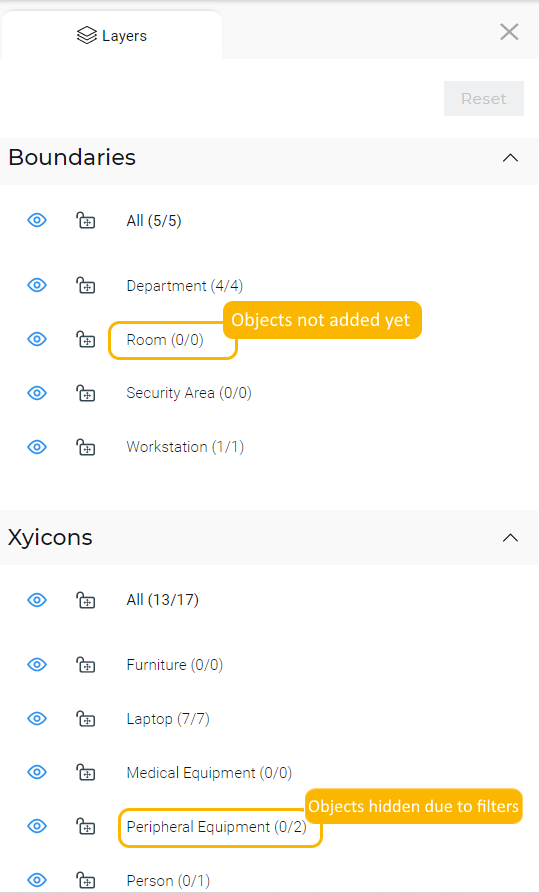 |