---
title: "January 2022"
slug: "january-2022"
updated: 2022-07-11T16:43:06Z
published: 2022-07-11T16:43:06Z
canonical: "support.xyicon.com/january-2022"
---
> ## Documentation Index
> Fetch the complete documentation index at: https://support.xyicon.com/llms.txt
> Use this file to discover all available pages before exploring further.
# January 2022
Here is a list of notable [new features](/v1/docs/january-2022#whats-new-with-spacerunner) and [improvements](/v1/docs/january-2022#list-of-improvements) we've cooked up this month.
## What's New with SpaceRunner
### Boundaries - Import your Boundary Updates from Excel
Import your boundaries' updated data directly from Microsoft Excel. If Excel is your go-to tool for bulk updates, this feature is definitely for you. It is super fast and can import changes for up to 10,000 rows during a single import. Additionally, if you are a **SpaceRunner Administrator**, you can import boundary updates to your entire organization. [Check out our help article for more information](/v1/docs/importing-boundary-updates-from-excel).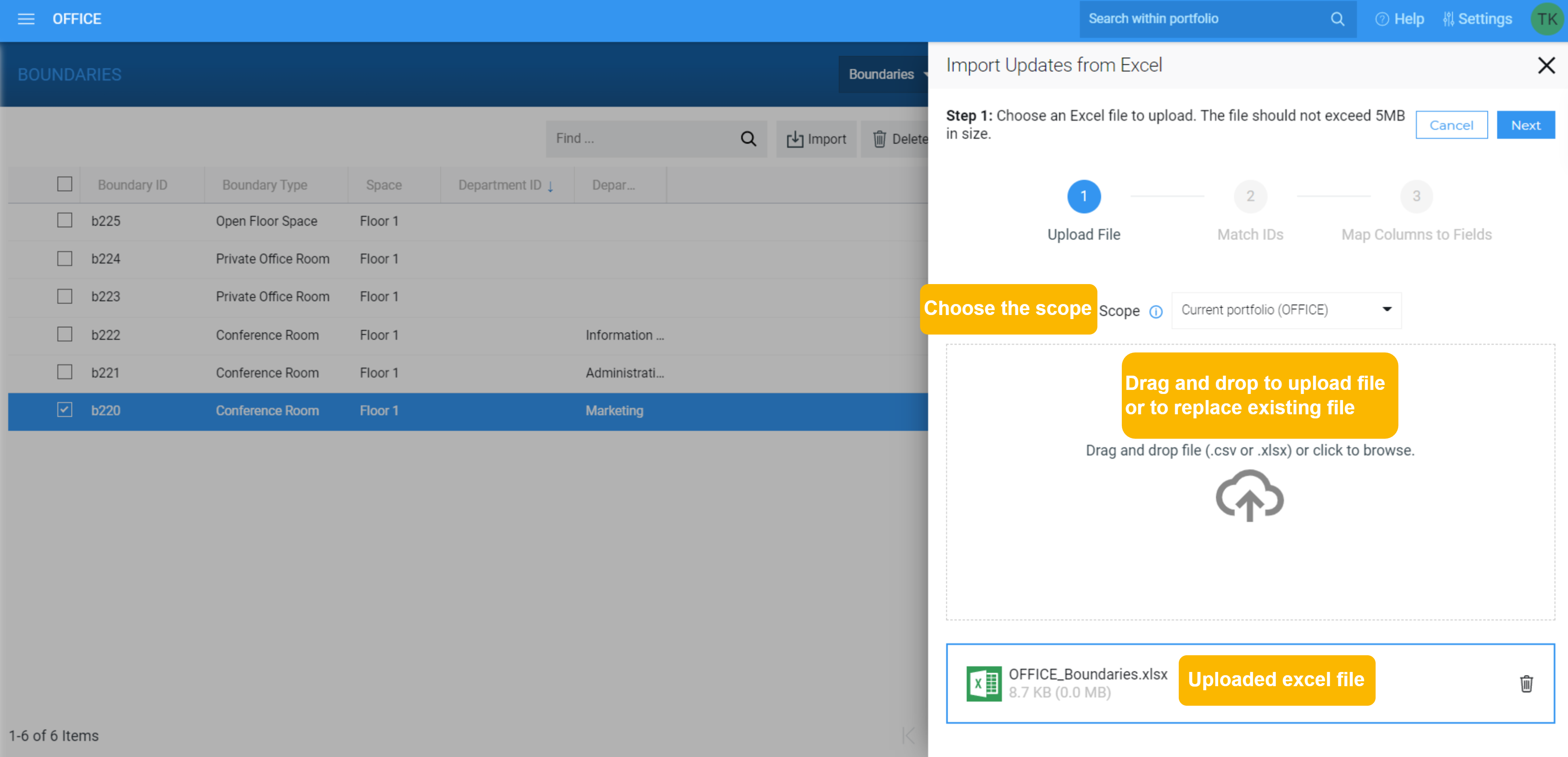
### Catalog Panel - Mark Catalog Items as Favorite
Using a few simple steps, you can now mark catalog items as favorites in the **Catalog Panel,** making it easier for you to access your most frequently used items during your day-to-day work. Your favorite catalog items are personal to you so that you can mark and unmark the items available to you to your heart's content. Simply open the **Catalog Panel** on the **Space Editor** or the **XYICONS** module, hover over a catalog item, and click the **Add to F****avorites** button ( ). [Read our help article](/v1/docs/marking-catalog-items-as-favorites) for detailed instructions, including viewing only your favorite catalog items.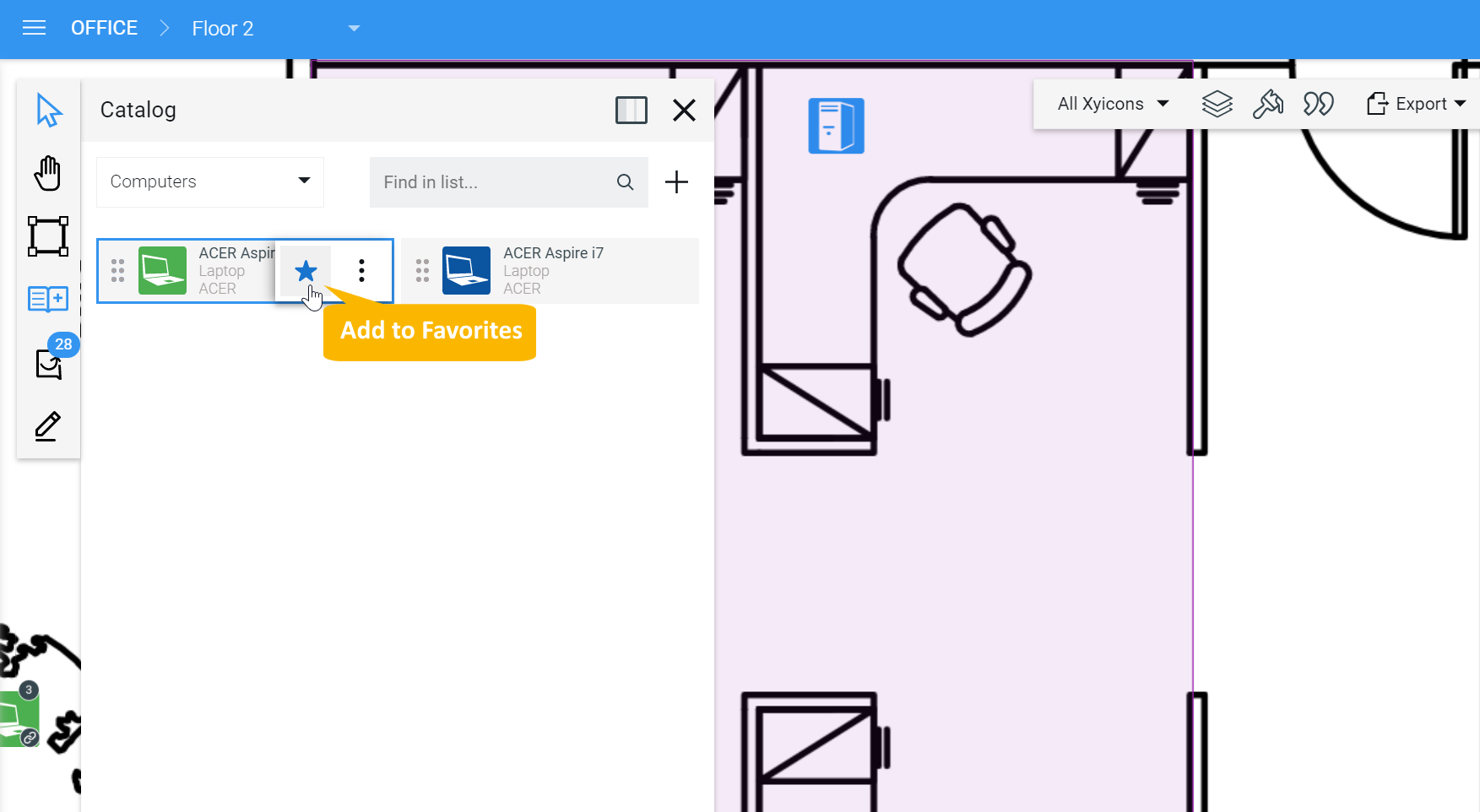
---
## List of Improvements
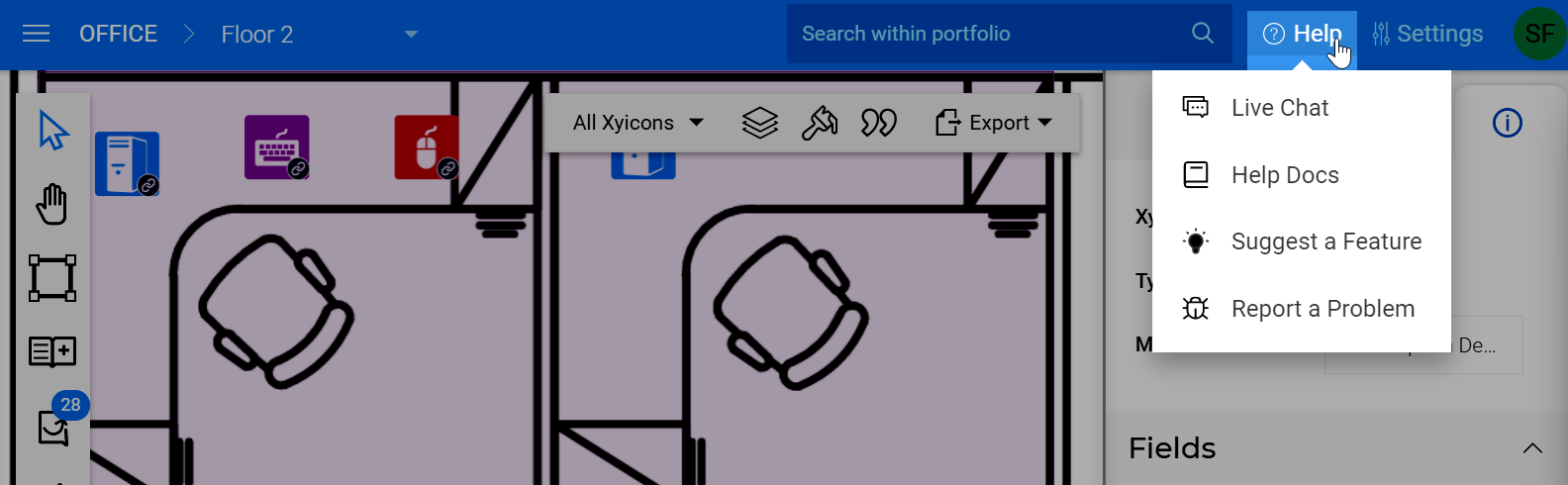
### SpaceRunner Help Menu gets a Facelift
Use our updated **Help** ( ) menu to
- Connect with us live if you need immediate assistance
- Read our help articles to learn how to use SpaceRunner's features
- Suggest a cool feature or leave us feedback
- Or report a bug you came across so we can get it fixed ASAP!
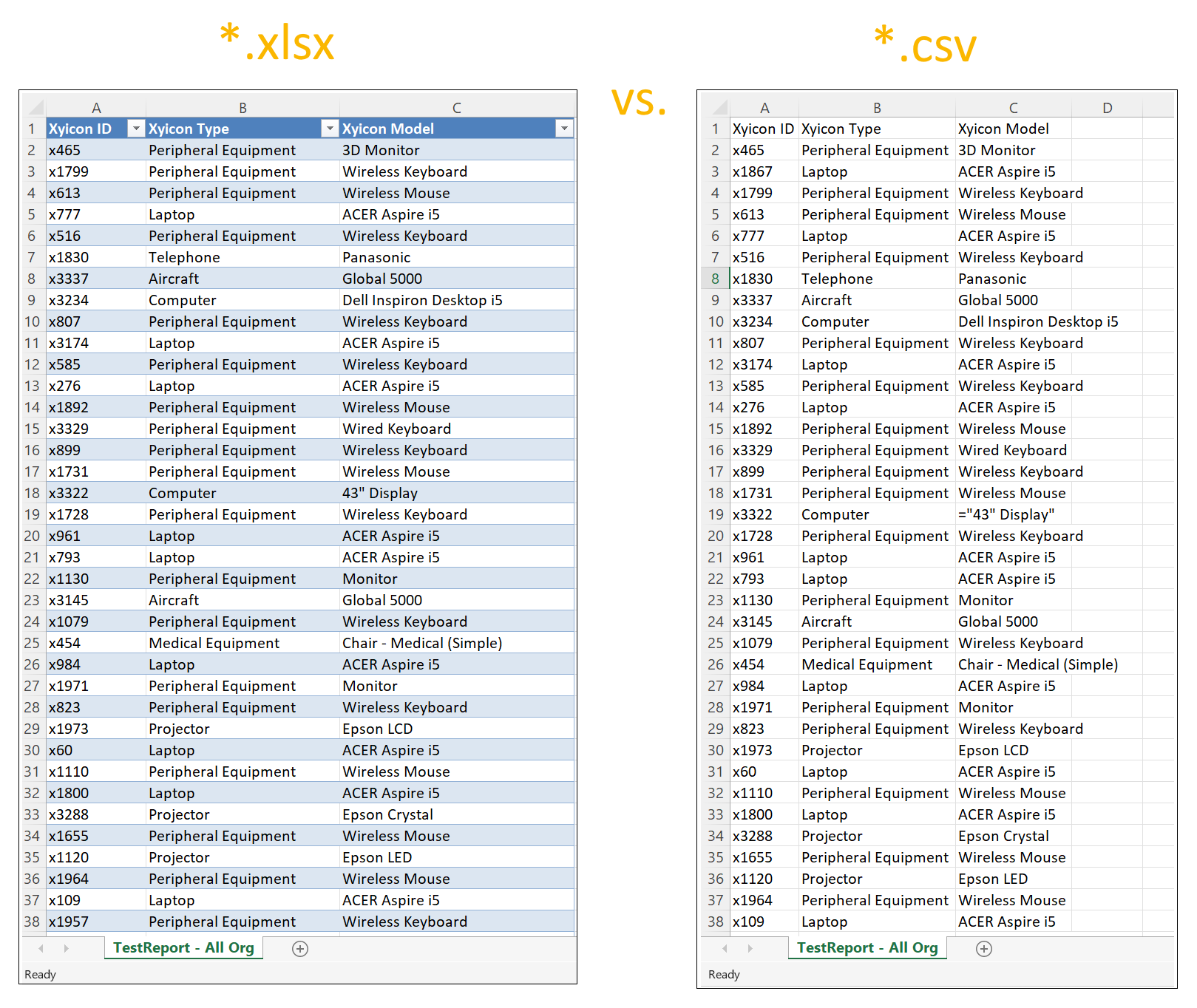
### Improved Report format to differentiate between *.xlsx and *.csv
Previously when you exported a **User Defined** report, there was no difference in the format between the `*.xlsx` and `*.csv` download. With this release, we have changed up the format for the Excel export to include a predefined style and standard filters.