---
title: "May 2021"
slug: "may-2021"
updated: 2022-07-11T16:52:59Z
published: 2022-07-11T16:52:59Z
canonical: "support.xyicon.com/may-2021"
---
> ## Documentation Index
> Fetch the complete documentation index at: https://support.xyicon.com/llms.txt
> Use this file to discover all available pages before exploring further.
# May 2021
Take a look at the new features and improvements we've released this month.
## May 24, 2021
We introduced you to the [new and improved SpaceRunner views in March](/v1/docs/mar-2021#introducing-the-new-and-improved-spacerunner-views). As part of that improvement, our developers have been working on completely overhauling the user interface to make it a lot simpler and intuitive. Below are some of the changes we have made so far.
#### Views - Redesigned User Interface
**1. View Selector gets a face-lift!**
Select and create your custom views instantly using our redesigned **View Selector**. Click the view name on the **Action Bar** and use the dropdown to switch between views. You can also see the owner and get a quick overview of the number of users or groups with whom the view is shared. To create a new view, click the **Create View** button ( ) and simply type in the name of the view. Check out our [Creating a View](/v1/docs/creating-a-view) help article to learn more.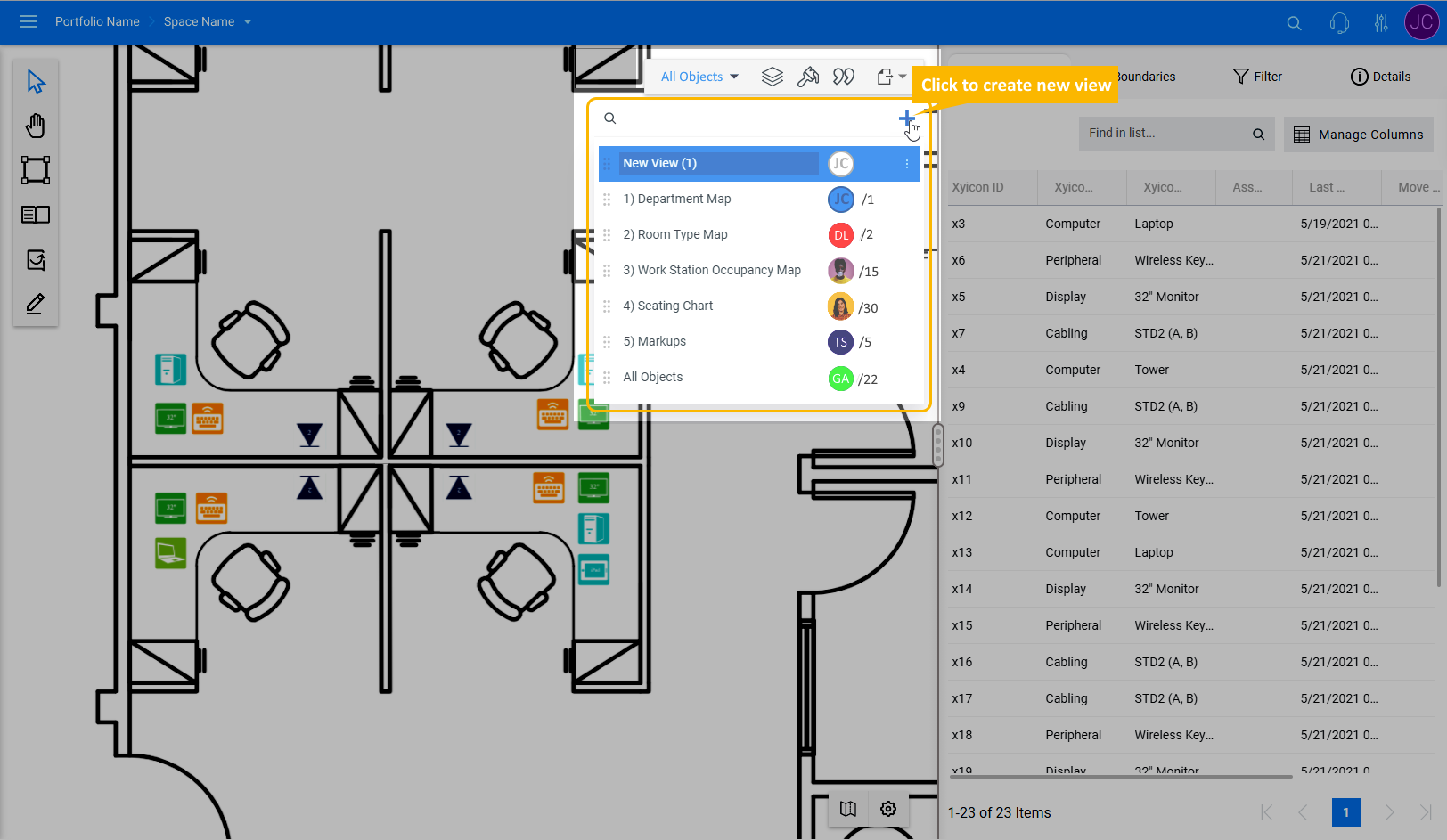
**2. Rename, clone, share, and perform other actions, all from one location**
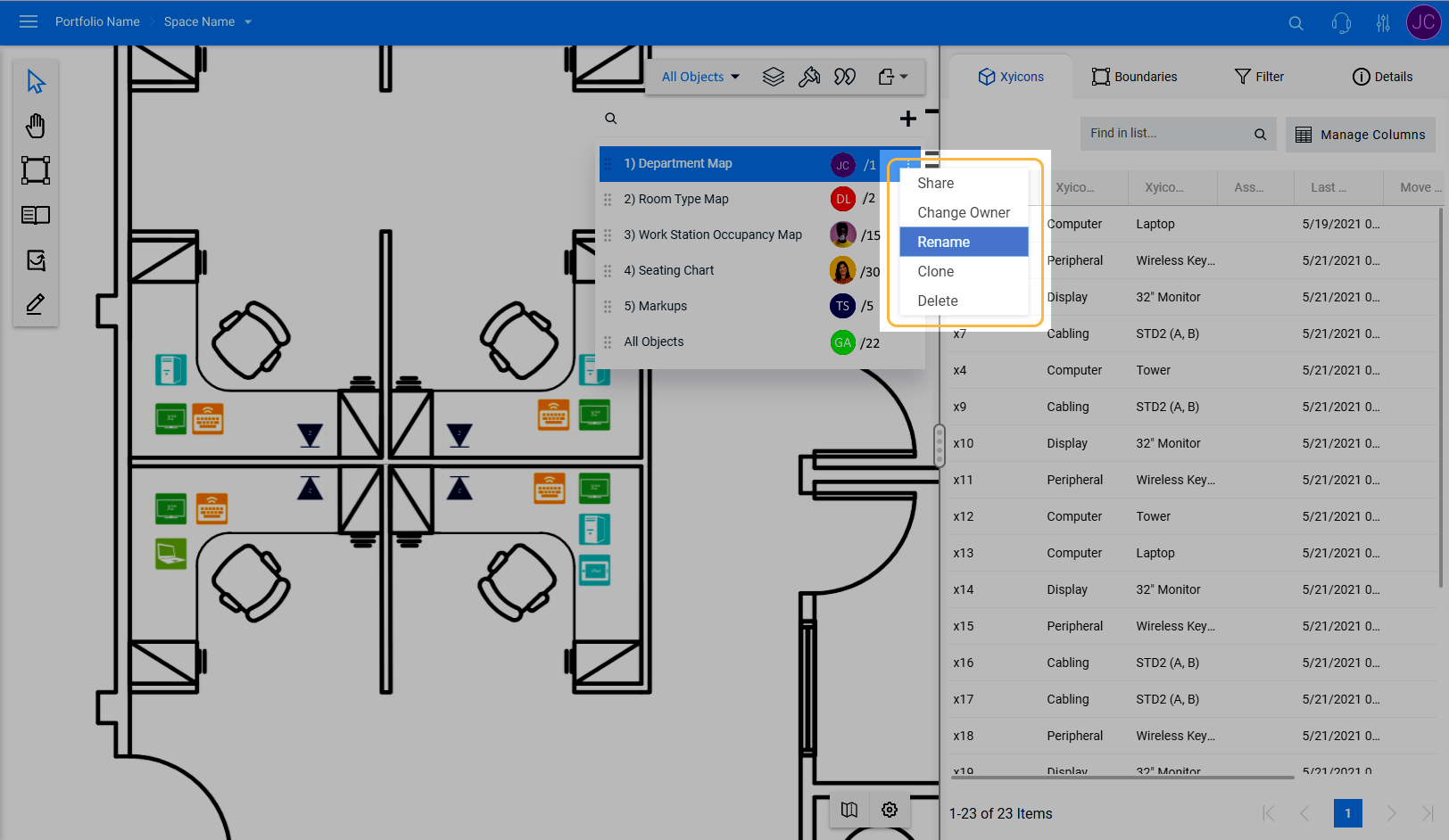
Access all actions you can perform for a view effortlessly by clicking the **More** **Options** button ( ) on the view. Use the menu to
- **Share** - Share views with your teammates
- **Change Owner** - Change the owner of a view to another user. Only a view's owner can perform this action.
- **Rename** - Rename a view
- **Clone** - Create a duplicate of a view, including filters and other settings
- **Delete** - Delete a view. Only a view's owner can perform this action.
**3. Updated Sharing Panel**
Our improved **Share Views** panel makes it easier to share your views with your teammates. Simply search for the user or user group and add them to share your view. You can also assign another user as the owner of the view.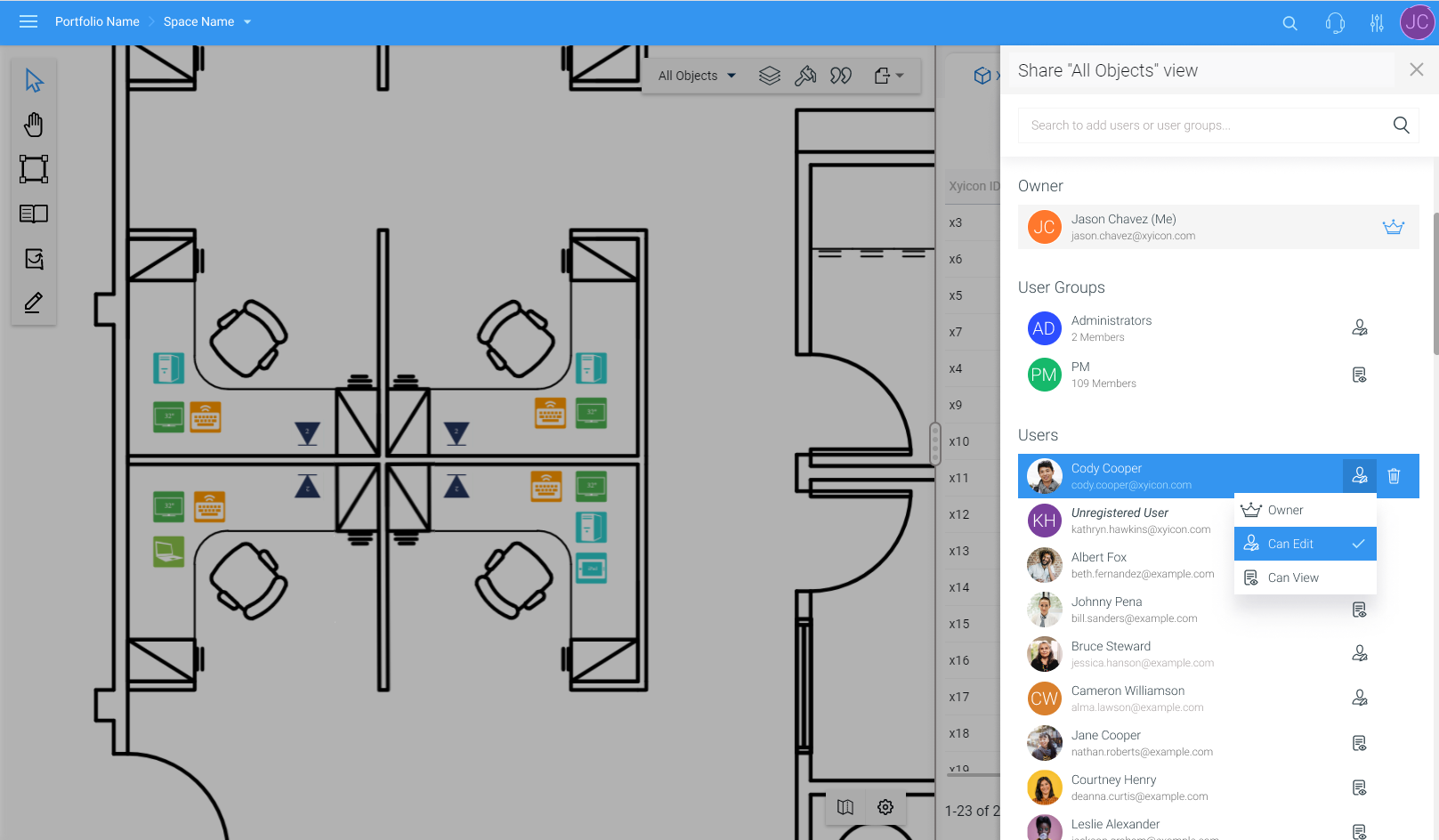
#### Sharing Reports became a lot easier
We believe you will enjoy the enhancements we have made when it comes to sharing reports. Read the [Sharing a Report](/v1/docs/sharing-a-report) article to learn how to share your SpaceRunner reports.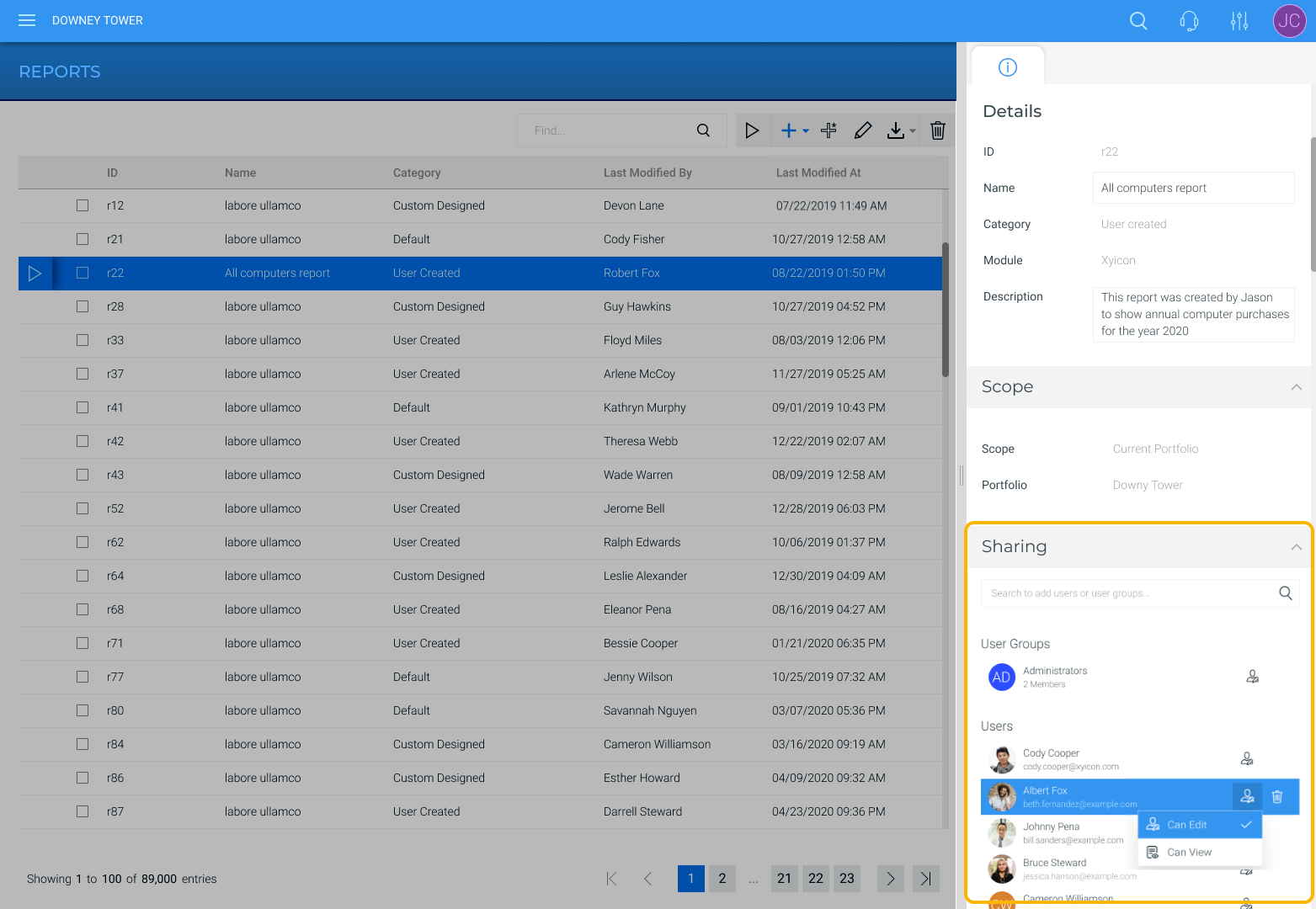
#### New Document Formats - All Modules
| You can now connect and preview documents for all modules with the `*.jpeg`, `*.jpe`, `*.jfif`, `*.jif `and `*.jf` file formats. |
| --- |
#### Improvements to Space Editor
We have tweaked the **Space Editor** in the following areas.
| **1. Easily edit the details of new xyicons or boundaries that are hidden by filters** When adding a new xyicon or boundary to a space (using the **Space Editor Toolbar** or using the copying or stamping function), you may encounter instances where the object is hidden due to the active view's filter or layer settings. In cases such as these, SpaceRunner will display a message allowing you to edit the object's details so that the object will remain visible.  You will receive this message when adding - Single or multiple xyicons - Single or multiple boundaries - Or a combination of xyicons and boundaries Click the **Edit Details** button to open the **Side Panel > Details** tab ( ) to change the objects' details or click the **Close** button ( ). **2. Improvements to Markups** - When drawing a markup belonging to a hidden layer, Space Runner will automatically make the layer visible. To save this setting to the current view or a new one, open the **Layers Panel** ( ) and click **Save to View** ( ) or **Save as New View**. - We made improvements to the [**Arrow Markup**](/v1/docs/markup-tool#arrow-and-line-tool). The arrowhead size will remain the same when resizing the markup or when changing the line weight. |
| --- |