---
title: "Oct 2021"
slug: "oct-2021"
updated: 2022-07-11T16:46:37Z
published: 2022-07-11T16:46:37Z
canonical: "support.xyicon.com/oct-2021"
---
> ## Documentation Index
> Fetch the complete documentation index at: https://support.xyicon.com/llms.txt
> Use this file to discover all available pages before exploring further.
# Oct 2021
Take a look at the new features and improvements we've released this month.
## October 31st, 2021
#### Embed Xyicons in Bulk
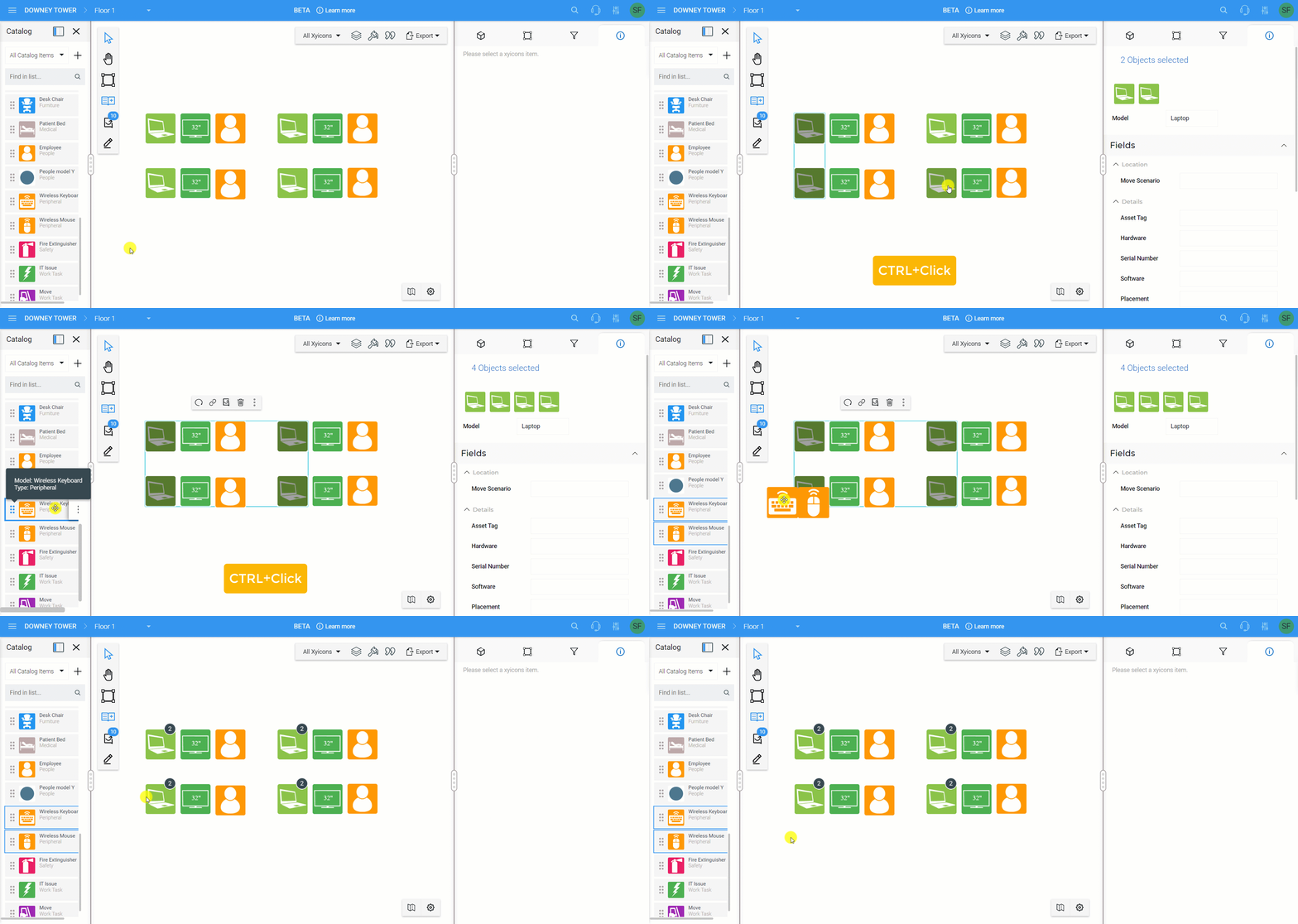
Embedding xyicons is a great way to create groups or clusters of xyicons without cluttering your space. With our latest product update, you can embed one or more catalog items into multiple parent xyicons at once instead of one by one. SpaceRunner will automatically embed copies of the catalog item as embedded xyicons. Check out the following help articles to learn how to
- [Bulk embed xyicons in the **XYICONS** module](/v1/docs/creating-embedded-xyicons-in-the-xyicons-module#create-an-embedded-xyicon-for-multiple-xyicons)
- [Bulk embed xyicons in the **Space Editor**](/v1/docs/embed-xyicons#embed-into-multiple-xyicons) (shown here)
#### Viewing Off-page Links
With the introduction of the [Lookup Field](/v1/docs/linking-xyicons-using-lookup-fields), you can easily create links between xyicons that live on different spaces or create a link to an unplotted xyicon. To make [accessing these off-page links](/v1/docs/linking-xyicons-using-lookup-fields#break-links-using-the-offpage-links-popup) straightforward, we have added a new **Off-page Links** popup window - accessible by clicking the **Has Links** indicator ( ) of your xyicon. From this window, you can see a list of all links to your off-page xyicons. Hover over a link to break it, view details of the off-page xyicon, or delete it.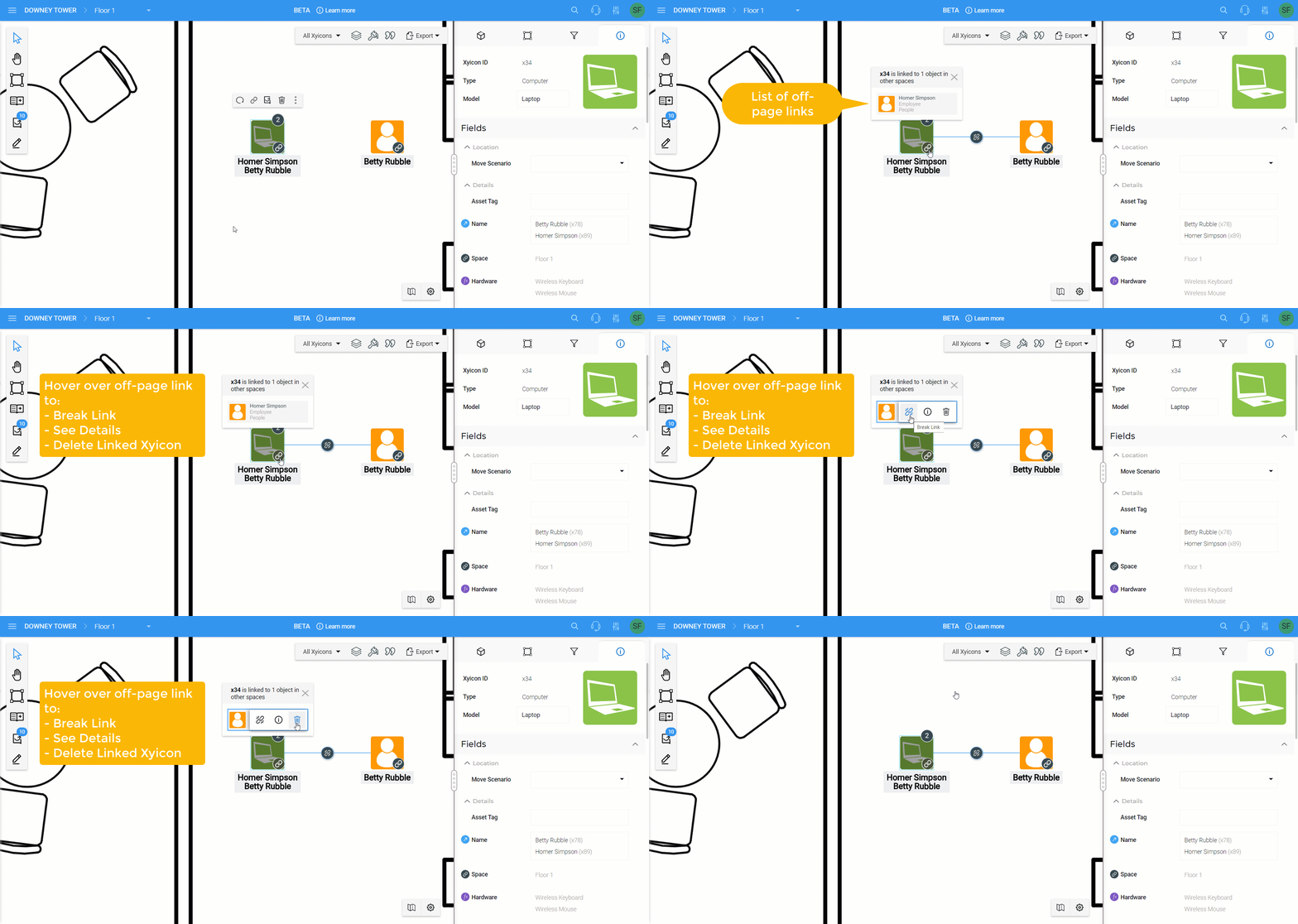
#### Display Markup Details
We have tweaked our markups feature to show additional details when you select an existing markup. See when the markup was last updated and by whom. You can also see a preview of the actual markup along with the text or measurement details, if applicable.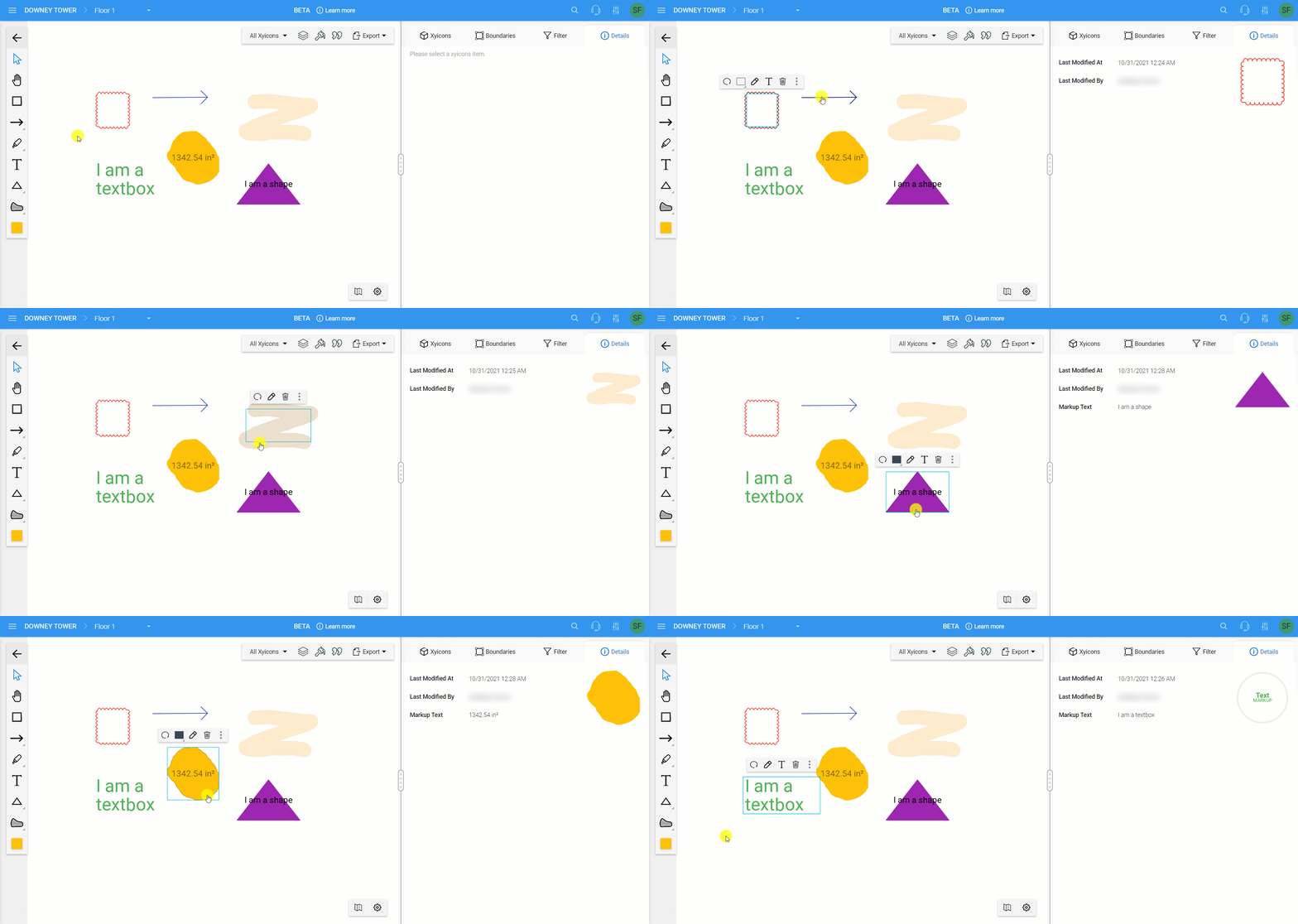
#### Other Improvements
**Space Editor** - The **Action Bar** will be hidden when you press the **Ctrl/Cmd** key so you can easily select multiple objects.
**Space Editor Unplotted Xyicons Panel** - Added the **Details** icon ( ) so you can easily view the details of an unplotted xyicon from the panel.
**Portfolio Wide Search** - Made improvements to the UI in how search results are displayed.