---
title: "Sep 2021"
slug: "sep-2021"
updated: 2022-07-11T16:48:08Z
published: 2022-07-11T16:48:08Z
canonical: "support.xyicon.com/sep-2021"
---
> ## Documentation Index
> Fetch the complete documentation index at: https://support.xyicon.com/llms.txt
> Use this file to discover all available pages before exploring further.
# Sep 2021
Take a look at the new features and improvements we've released this month.
## September 27, 2021
#### Import Xyicon Data Updates from Excel
Our newest feature allows you to import your xyicons' updated data directly from Microsoft Excel. If Excel is your go-to tool for bulk updates, this feature is definitely for you. It is super fast and can import changes for up to 10,000 rows during a single import. Head on over to our help article to learn how to [import your xyicon data updates](/v1/docs/importing-xyicon-updates-from-excel).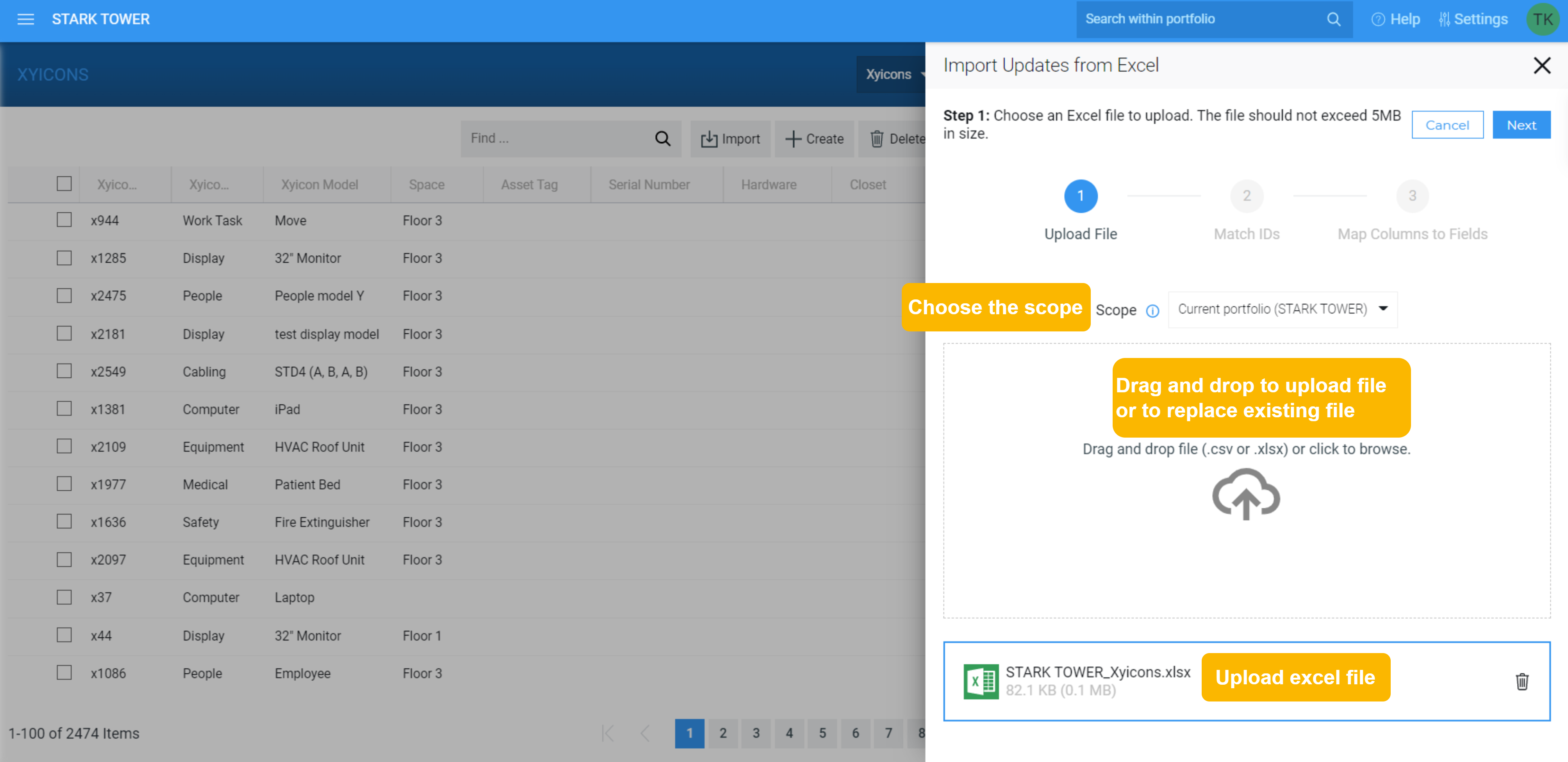
#### Lookup Fields - A new way to create Links between Xyicons
Create links between xyicons using a **Lookup Field**. A lookup field allows you to *look up* other xyicons based on their attributes. For example, using a lookup field, you can link a *Person* xyicon to a *Computer* xyicon by "looking up" a person's name (attribute). Create multiple links within seconds without searching for and locating the relevant xyicons in the **Space Editor** or **XYICONS** module.
Ready to give lookup fields a try? Contact your **SpaceRunner Administrator** or [supprt@xyicon.com](mailto:support@xyicon.com) to set it up for you and [start linking xyicons](/v1/docs/linking-xyicons-using-lookup-fields).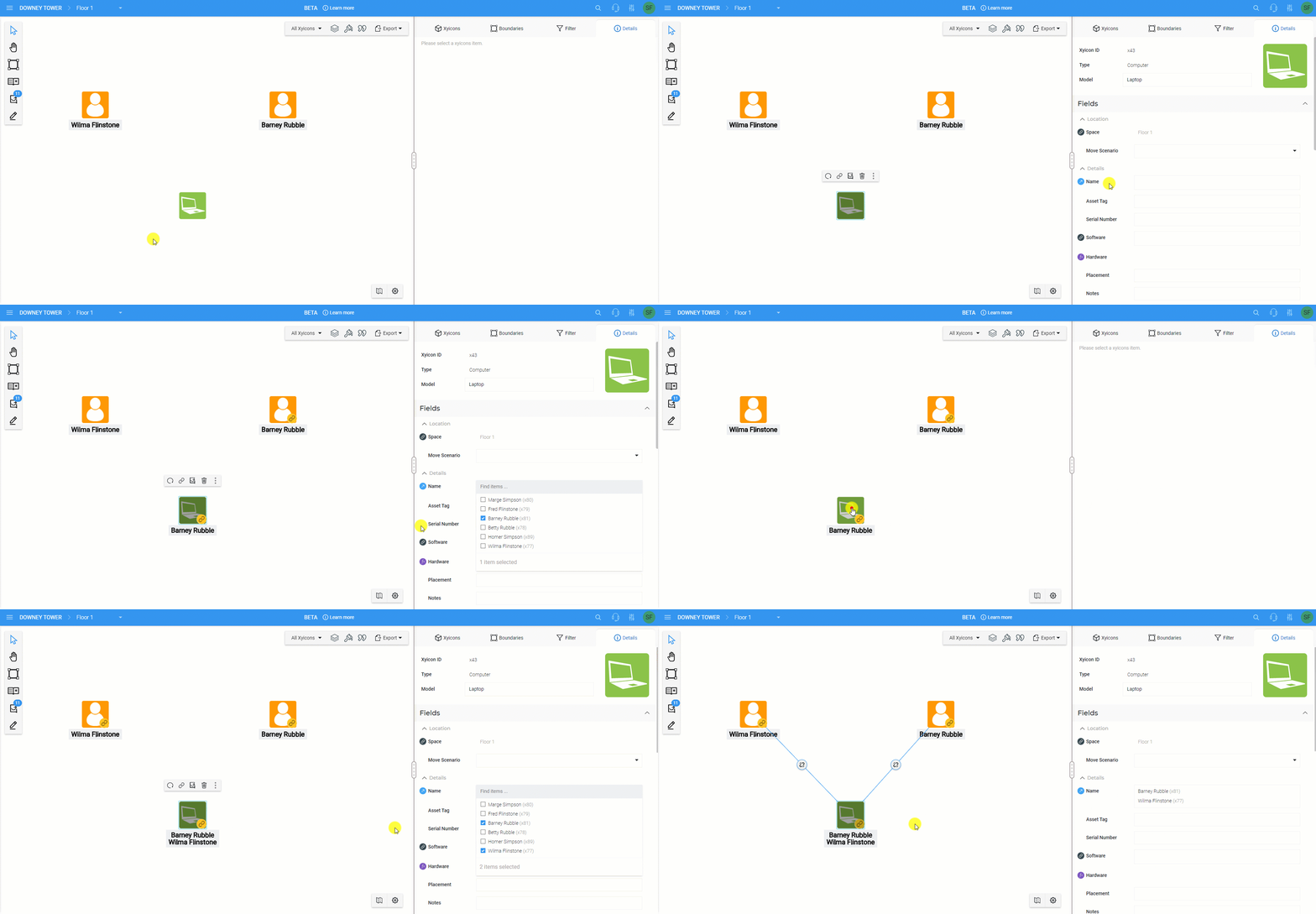
#### Badges to Indicate Different Field Categories
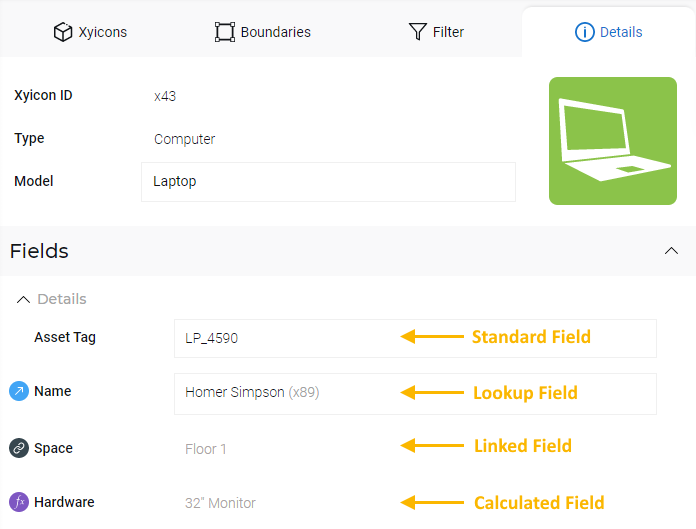
With the introduction of **Lookup Fields**, we went ahead and added some badges so you can quickly identify the category of field you are working with:
- No Indicator or Badge - Standard Fields
- - Lookup field. Always displayed regardless if a link exists between xyicons. Used to create links by lookup.
- - Linked field. Only displayed when a link exists between xyicons. This is a read-only field.
- - Calculated field. Used to set formulas for auto calculation. This is a read-only field.
#### Duplicate Portfolio
Do you work with similar portfolios that have the same spaces, boundary, and xyicon setup? Using our **Duplicate Portfolio** feature introduced during this release, you can set up your portfolio once and make copies of it whenever you want. The feature copies all spaces, boundaries, xyicons, links, and markups that belong to it, saving you a ton of effort. [Ready, set, and duplicate](/v1/docs/duplicating-a-portfolio)..png)
---
## September 13, 2021
#### Convert a portfolio from one type to another
Some weeks back, we introduced the feature to convert a space from one type to another; now, you can do the same with portfolios! Simply select the portfolio you want and [change its type](/v1/docs/changing-a-portfolios-type). Et voila! You have converted your portfolio.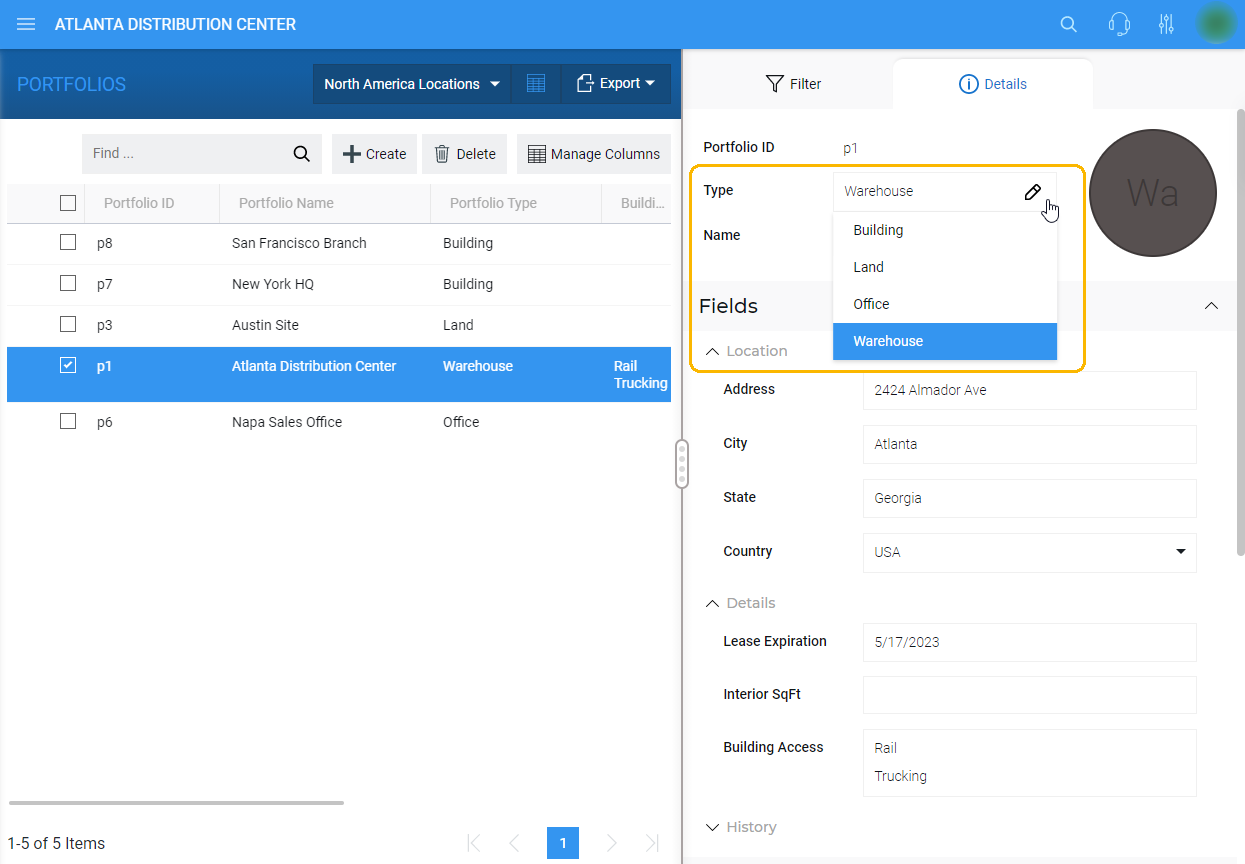
#### Create Unplotted Xyicons from inside the XYICONS module
You can now create new unplotted xyicons from within the **XYICONS** module window. Why unplotted xyicons? Well, having a list of unplotted xyicons is useful when you do not know which space a particular xyicon should reside in at the time of creation, but you still want to have an inventory of them to plot on a space later. What's more, any unplotted xyicon created in the **XYICONS** module will be automatically available in the **Space Editor**'s **Unplotted Xyicons** panel for easy access.
Check out our [Creating an Unplotted Xyicon in the XYICONS Module](/v1/docs/creating-an-unplotted-xyicon-in-the-xyicons-module) article to start using this feature now.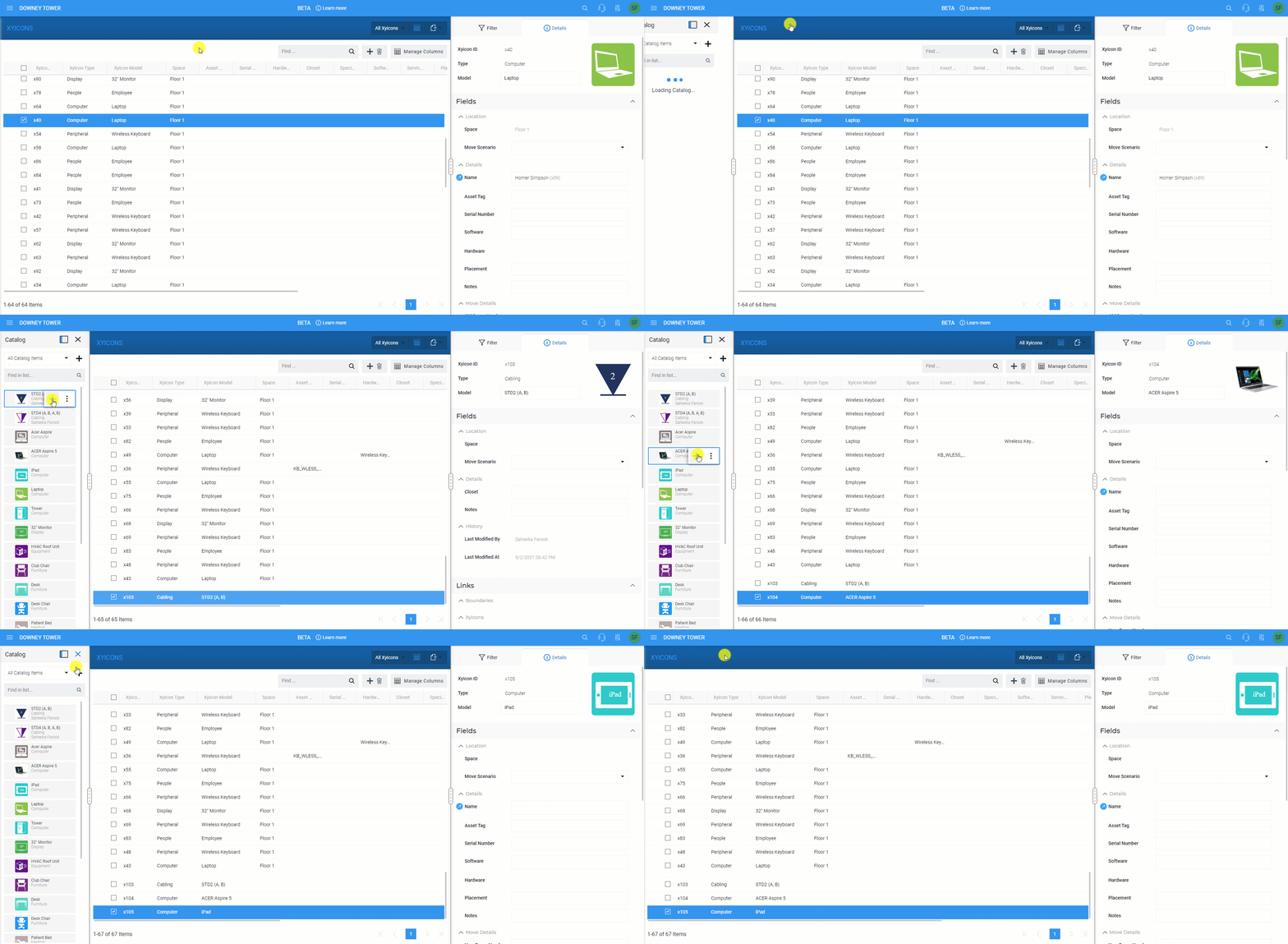
#### Other Improvements
**Portfolio Wide Search**
Improved performance and added the ability to view an object's details within the **Portfolio Wide Search Result** pane. Hover over an object on the pane and click the **Details** icon ( ).
**See your customized tooltips on the Side Panel > Details tab ( )**
You can now see your custom tooltips when you hover over xyicons and boundaries on the **Side Panel > Details** tab's ( ) **Links** and **Ports** section (in the **Space Editor**, and the **BOUNDARIES** and **XYICONS** modules). Customized tooltips are part of SpaceRunner **Settings** ( ) that your organization's **SpaceRunner Administrator** can easily configure for you.
**Descriptive Action Bar buttons in all Modules**
We have added texts to buttons in the **Action Bar** to make them more descriptive in **PORTFOLIOS**, **SPACES**, **CATALOG**, **XYICONS**, **BOUNDARIES**, and **REPORTS** modules.