Switch to V5 to access this functionality.
When you log in to Xyicon V5, the first page that appears is the Home Dashboard. A centralized view that gives you quick access to your recent activity, important updates, and key portfolio insights.
NOTE: To return to the Home Dashboard at any time, select the Home icon (
) in the left Navigation Panel.
What Appears on the Home Dashboard?
Your dashboard includes helpful widgets designed to make your day-to-day work easier. Your dashboard is tailored to your organization. The widgets, layout, and default settings are preconfigured, so every user has a consistent experience.
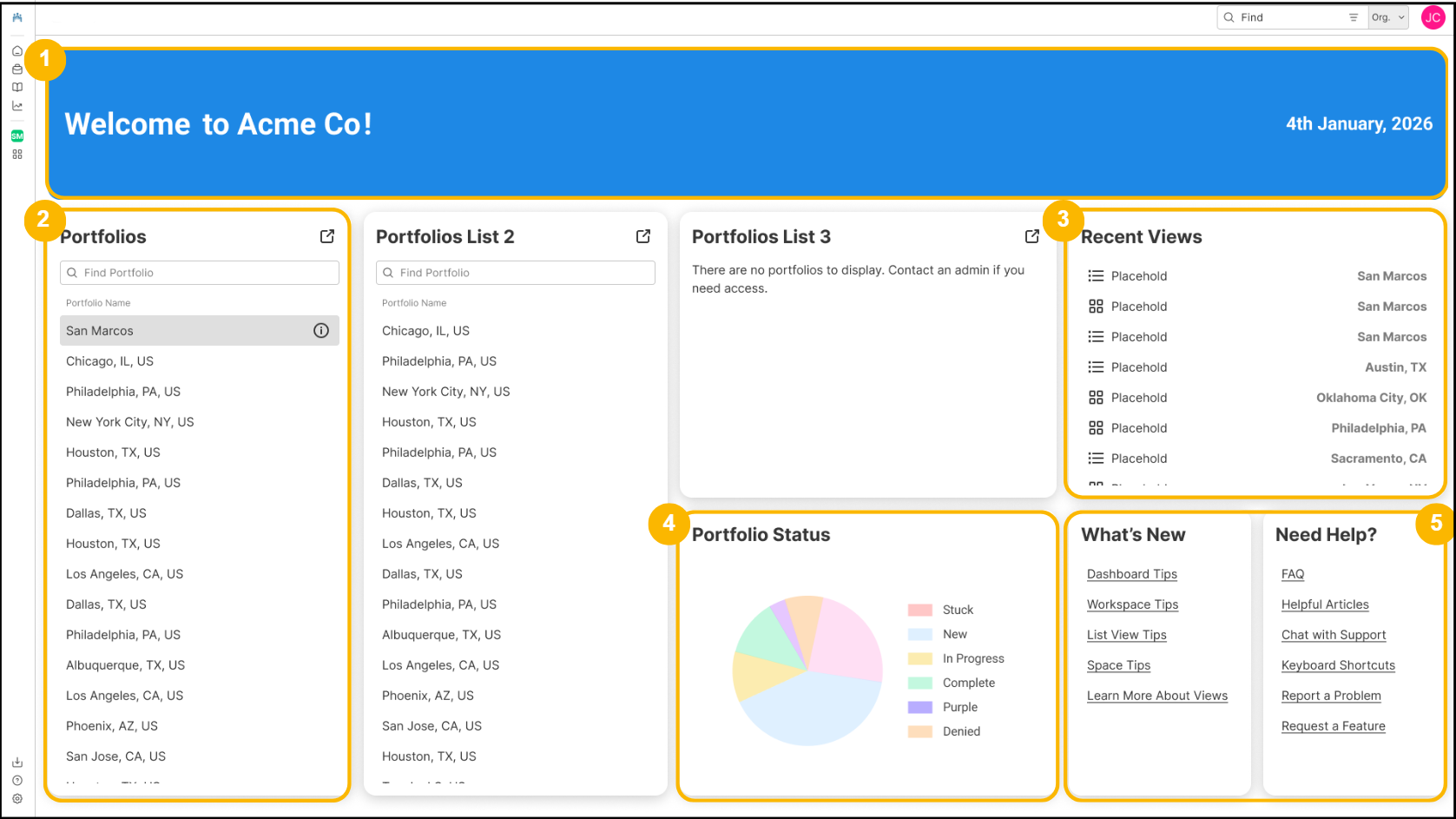
1. Welcome Header
A personalized header with a greeting, along with your organization name and the system date.
2. Portfolio List
A simple list of portfolios you can use to navigate.
3. Recent Views
The dashboard displays recently accessed workspace views, making it easy to return to ongoing work.
4. Charts
Charts give a visual summary of portfolio data directly from the dashboard.
5. Updates and Helpful Links
Widgets such as What’s New and Need Help? provide quick links to announcements, support articles, FAQs, keyboard shortcuts, and other resources.
Want to Customize Your Dashboard?
Your organization’s dashboard layout and widgets are configured at the organization level. The following elements can be customized for your organization:
Header text
Header color
Banner background image
Widget layout and placement
Widget content (such as links or portfolio lists)
If your organization would like your dashboard customized or updated for your organization, contact us at support@xyicon.com.