V5 (BETA) - Release Note
V5 Beta introduces a redesigned workspace focused on clearer organization, improved visibility, and a more unified way to navigate work across your organization. This release brings together workflows, views, reporting, search, and visual management tools into a single connected experience. Some areas are still being refined. See Known Limitations below.
Here's what changed and what to expect. We recommend reading this release note before exploring the Xyicon V5 Beta Walkthrough video.
Xyicon V4 Is Not Going Away
Both versions currently run in parallel. You can switch between V4 and V5 using the Version 5 (Beta) toggle located under your avatar.
.png)
Note: There is currently no planned date for V4 retirement. Any future retirement plans and timelines will be communicated in advance.
Known Limitations in V5 Beta
These are active issues in the current release and are being addressed in upcoming updates.
Conditional Formatting → Spotlight migration: Existing Conditional Formatting rules do not migrate automatically to Spotlight. Rules must be recreated manually. Your Customer Success team will connect with your organization's point of contact for migration guidance before making changes in V5.
Reporting inconsistencies: Some reporting outputs may display inconsistently in the current Beta version. Flag specific instances to support via live chat or support@xyicon.com.
Workspace load performance: You may experience longer load times when you initially open the workspace. Performance improvements are actively in progress and will ship in upcoming releases.
What’s New in V5
Unified Workspace
Everything in one workspace, with clearer navigation controls
.gif)
Xyicon Views, Space Views, Boundary Views, and Portfolio-scoped User-Defined Reports are now consolidated into a single workspace experience. Previously separated modules are now accessible from a single sidebar, allowing you to move between workflows without losing context.
The new navigation panel also introduces customizable colors and icons for views, making it easier to visually distinguish different work areas at a glance.
What's New
All major view types accessible from one workspace
Dedicated tabs for active views
Workspace navigation panel (sidebar)
Custom icons and colors for workspace items
User-defined reports are integrated directly into the workspace as Report Views
Improved portfolio and organization-level navigation behavior
How This Differs from V4
In V4, views and modules were accessed through separate navigation paths, requiring you to leave your current context to switch between work areas. V5 brings these experiences together within a single workspace, allowing you to move seamlessly between views using active tabs and a permanent, collapsible navigation panel.
Learn More
Home Dashboard
A configurable starting point for daily work
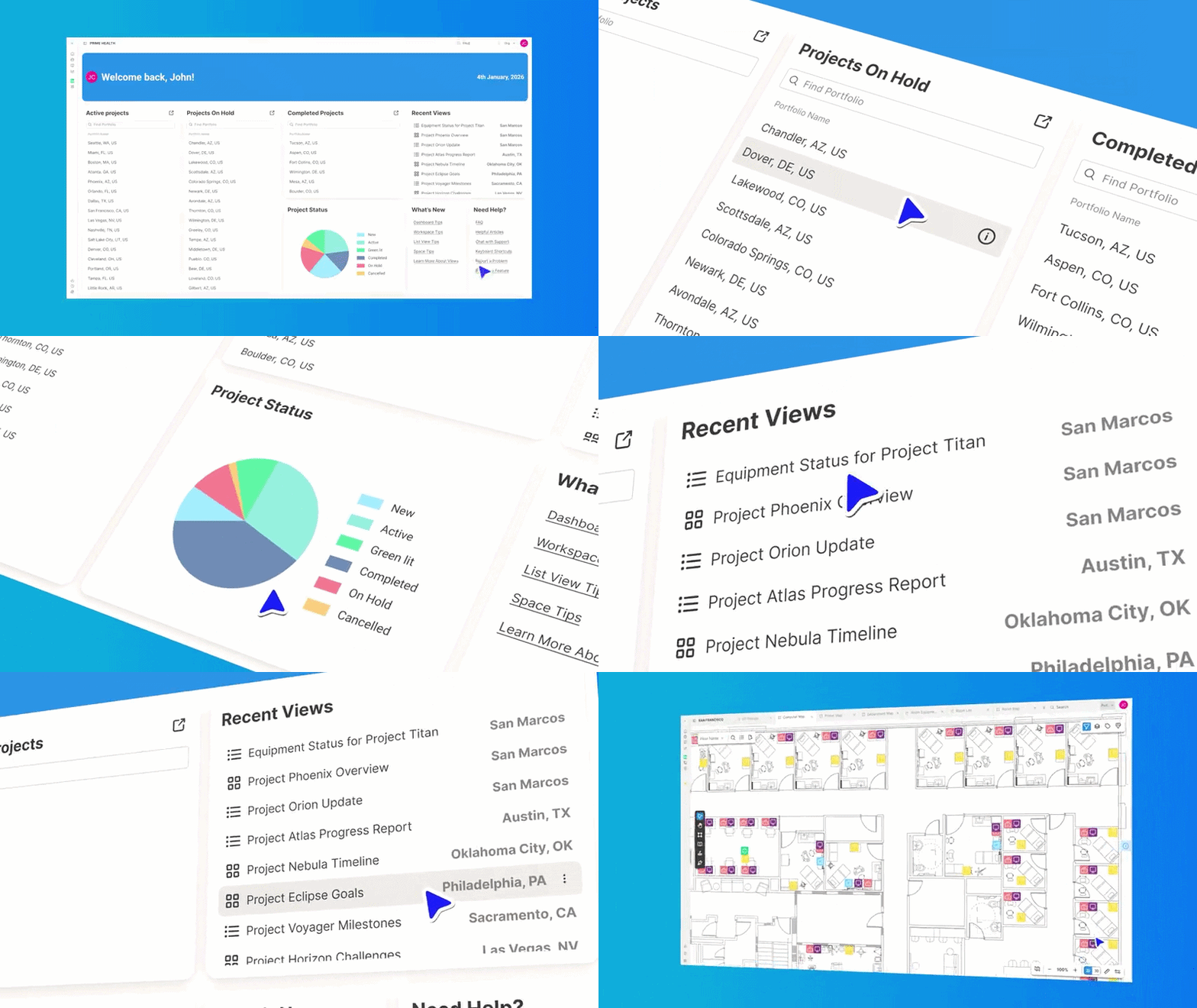
The Home Dashboard is now the default landing screen in V5. You can configure it with the metrics, projects, shortcuts, and widgets relevant to their role. Set it once and use it as a daily command center. At this stage, the Home Dashboard isn’t self-configurable. Your Customer Success team will guide you through setting it up.
Includes
Key metric charts and summaries
Recent projects and activity feed
Quick-access links to frequently used views
Responsive dashboard widgets
Permission-aware data tailored to each user's access level
What This Replaces in V4
V4 had no configurable home screen. You navigated directly to portfolios or modules upon login, with no centralized starting point.
Learn More
Organization-Wide Search
Search across your entire organization from one place
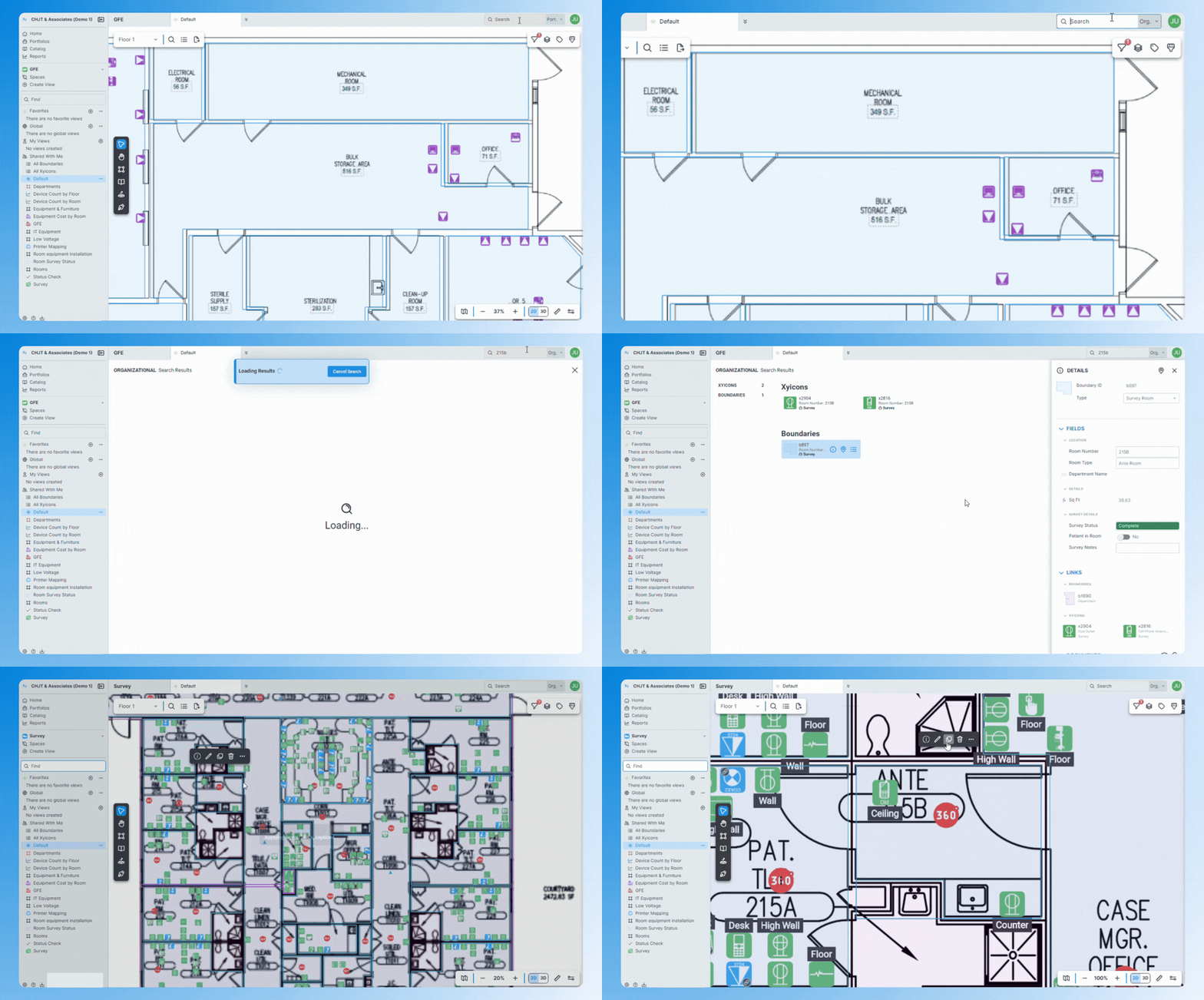
Search in V4 was limited to the active portfolio only. V5 introduces organization-wide search, where you can find portfolios, xyicons, spaces, boundaries, and other records across all portfolios from a single search experience, without switching portfolios first.
What's New
Two modes: Organization-Wide Search and Portfolio-Wide Search
Learn More
Global Views and Global Reports
Standardized views and reporting structures across teams
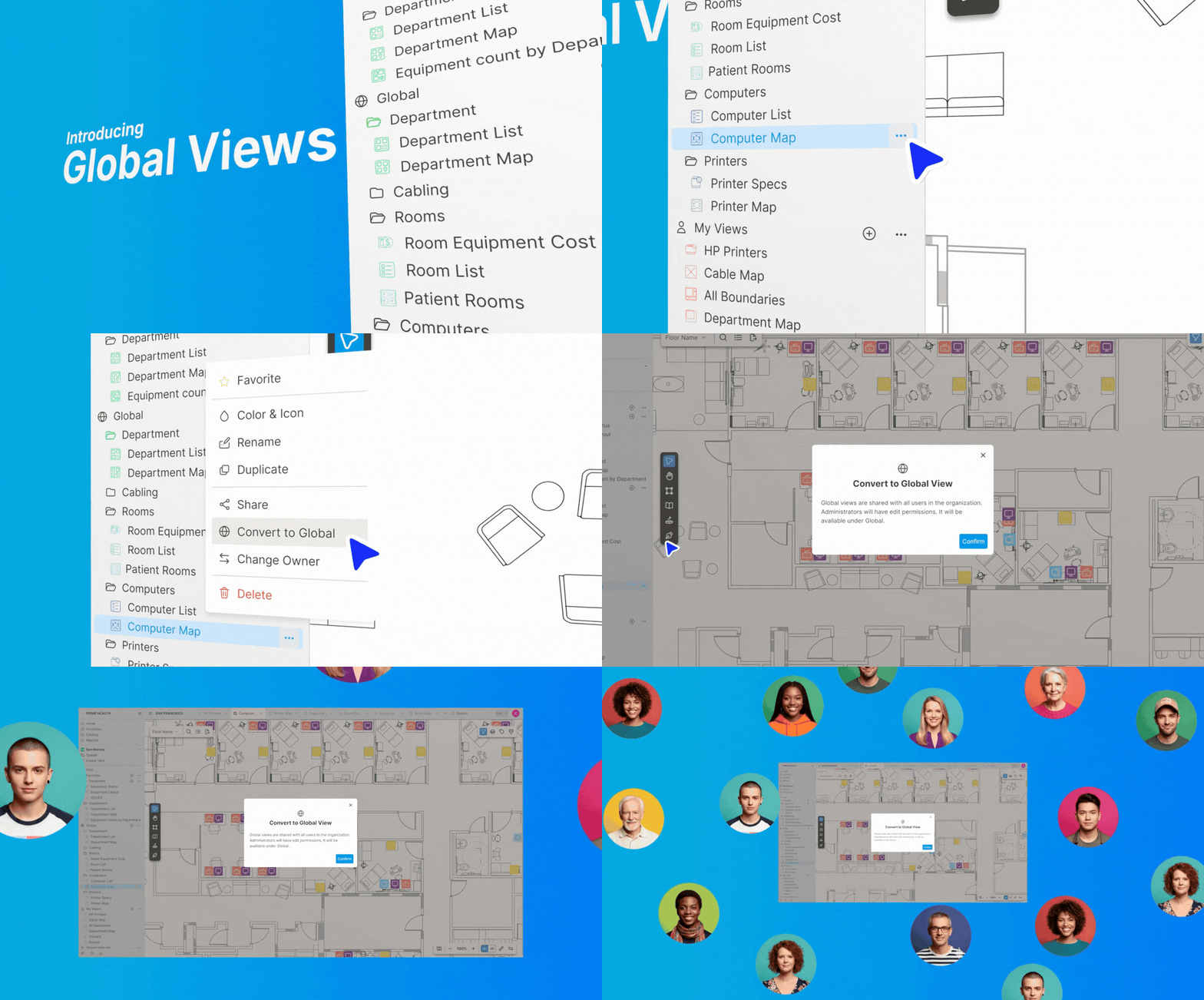
Administrators can now promote personal and shared views to organization-wide resources. Teams work from the same shared reporting structures without independently recreating them.
Includes
Global Views
Global Reports
Organization-wide shared visibility
Admin controls for promoting and managing shared views and reports
What This Replaces in V4
In V4, shared views and reports intended for broad use were typically shared through user groups, and ownership remained with the view creator. Any accidental modifications could affect the shared view used by multiple teams. Global Views and Global Reports provide an additional layer of governance that addresses these limitations.
Learn More
Spotlight
Conditional Formatting is now Spotlight
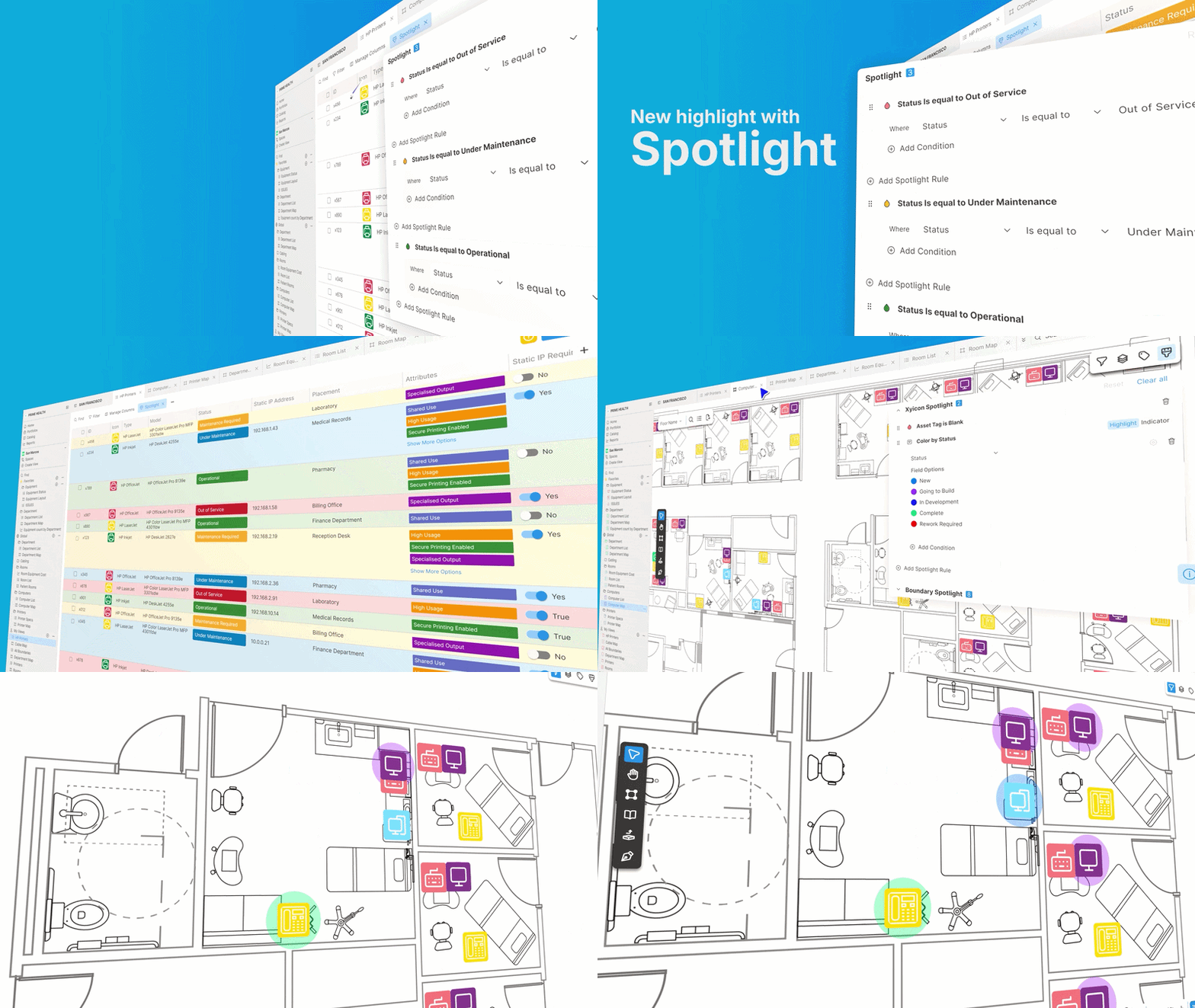
Conditional Formatting has been replaced by Spotlight—a more flexible, customizable, and powerful rule-based highlighting system built directly into your view experience. Rules are now configured and managed within the active view rather than through Settings.
New Capabilities
Works across both List Views and Space Views (previously Space Views only)
User-level Spotlight configurations
Three modes:
Field option based color rules
Condition based color rules
A combination of the above
Highlight or indicate by custom colors, icons, and flags
What This Replaces in V4
Conditional Formatting in V4 applied rules configured in Settings and only supported Space Views. Spotlight extends highlighting to List Views and moves rule management directly into the view itself.
⚠ Migration Warning
Existing Conditional Formatting rules do not migrate automatically to Spotlight. Rules must be recreated manually in V5. Do not remove or modify your V4 Conditional Formatting rules before completing migration. Your Customer Success team will walk you through the migration process.
Learn More
People Fields, and Assignment Notifications
Clearer ownership and faster awareness of assigned work
.gif)
V5 introduces a new People field type that allows organizations to assign one or multiple users directly to xyicons and boundaries. This enables assignment tracking and triggers email notifications when work is assigned.
People Field
Single or multiple people assignment modes
Organization-wide user selection
Assignment tracking on specific xyicon and boundary types
Custom email notification (requests should be made to your Customer Success team at this stage).
What this replaces in V4
V4 had no native People field type. Ownership and assignment were managed through workarounds such as text fields or custom select fields, with no notification capability tied to assignment.
Assignment Notifications
Users receive an email when work is assigned to them. Emails include a direct link that opens into the assigned item's Details tab inside the workspace—no manual navigation required. Access is permission-aware.
Learn More
Link Properties
Configurable relationships between objects in Space Views
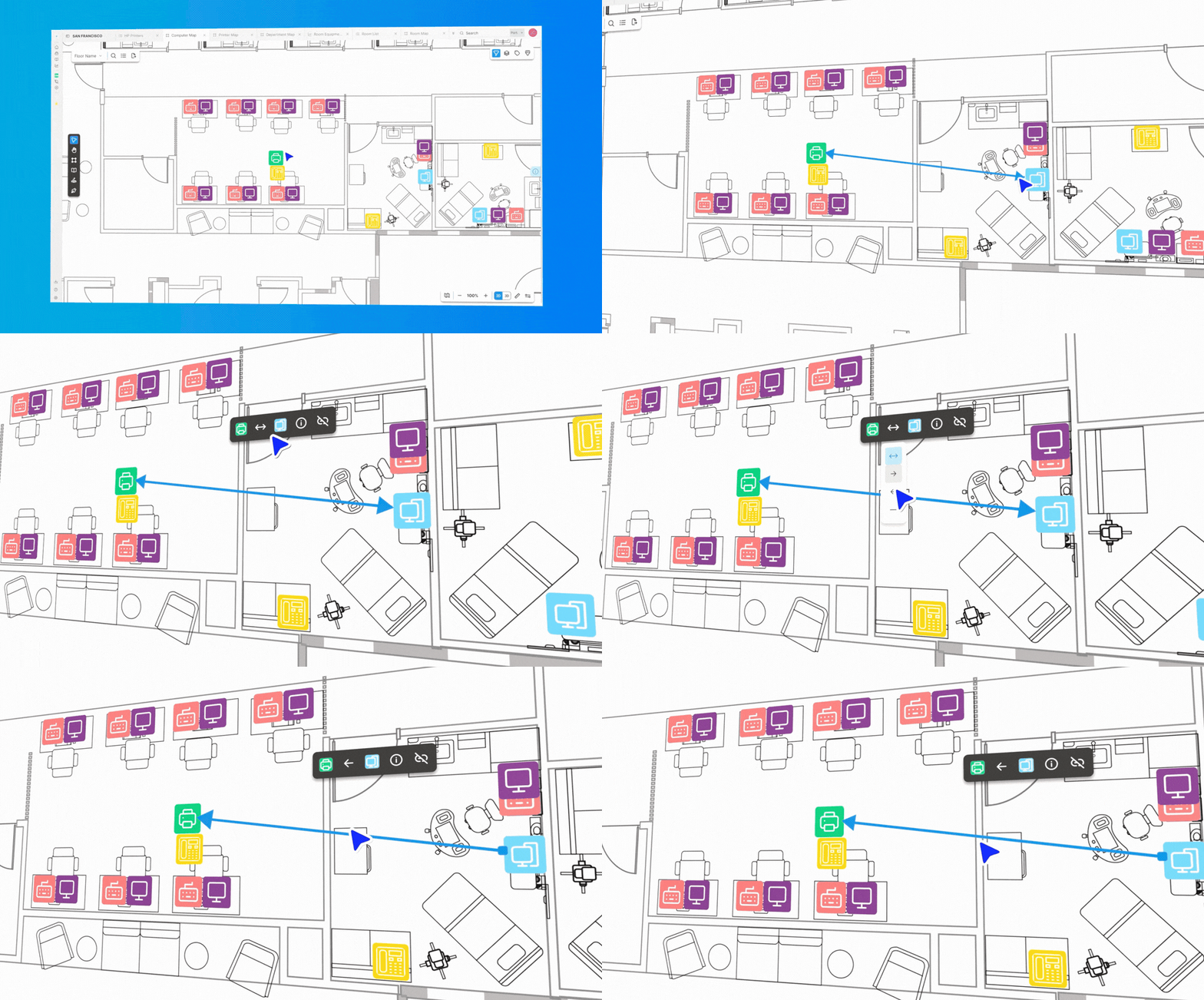
V5 introduces support for configurable link properties, allowing users to define and manage how objects relate to one another beyond a simple link.
Includes
Link styling: assign meaning to the visual aspects of a link, for example, primary vs secondary, etc.
Directionality controls: used to determine the direction of information flow
Enhanced relationship visualization
What this replaces in V4
Link relationships in V4 were simple, with no configurable properties or directionality. V5 makes relationships explicitly definable and structurally meaningful. This is especially useful when used in conjunction with Xyicon’s External API to read and write data via integrations.
Learn More
Other Enhancements
V5 also comes with improvements to existing functionality. The most notable ones are listed below.
View creation: Create Xyicon and Boundary list views, Space views, and Report views directly for the active portfolio. The new interface lets you quickly choose the view type and set it up in just a few steps
View Groups: Four groups for easy organization; Favorites, Global, My Views, and Shared With Me
Object Position Lock: V5 expands the position lock functionality to individual objects. You can now lock a single object, multiple objects, or a mix of objects (xyicons, boundaries, markups)
Single-select and multi-select field options: Assign a color to the options when configuring the field values in Settings. Assigned colors will show up on the field and can also be used in Spotlight
Object Rotation: Hover over the outer perimeter of the selected object or group of objects to rotate
Transitioning from V4
V5 introduces meaningful structural and visual changes. Navigation is reorganized, modules are consolidated, and some workflows operate differently than they did in V4.
The changes are designed to create stronger long-term consistency across the platform. Some areas will feel unfamiliar at first. That adjustment is expected and temporary.
Your Customer Success team will connect with your organization's point of contact to provide training specific to your workflows before any migration is required.
V5 Beta Walkthrough
Watch our V5 Beta Walkthrough video for a quick tour around the application. Feedback from the Beta period directly shapes what ships next. Reach out via live chat or support@xyicon.com.